To change the username on Collabox, you need to go to your employee record. If you don’t have access, ask an administrator to do it for you.
When you hire a new person, you must give them a username and password. Afterwards, the employee, if you give him access, will be able to make his own modifications. At any time, the administrator can also modify the information. This can be used for security reasons, for example!
How to change the username
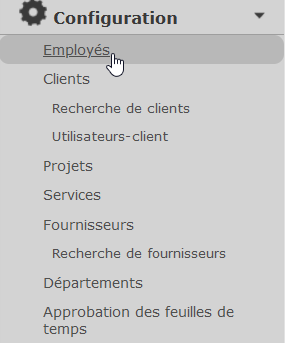
First, click on the “Configuration” icon in the main menu.

Then go to the“Employees” section of the left-hand menu, and click on your name.
Then, in the Info tab, you need to change the User Name in the field of the same name, and save.

The new identifier will be effective immediately. You can also change your password in the box below. This is often necessary when hiring a new employee and you give him a temporary password that he can change later.
Watch several videos on our Youtube channel and visit our Tips and Tricks section in the Blog to continue your Collabox configuration!
If you have any questions, please contact us and we will be happy to answer you.
info@collabox.com (418) 907-9274


