Phased projects are often used by our clients in construction or architecture. They allow you to manage projects according to the stages of progression (phase). For example, design of plans, supervision of work, etc.
Phased projects require special customization. Please contact us if you wish to use this feature.
Create a project by phase
To access the projects, you must first click on the “Configuration” icon in the navigation bar at the top of the page.

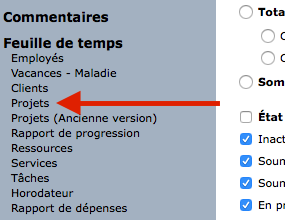
Then click on “Projects” in the left sidebar.
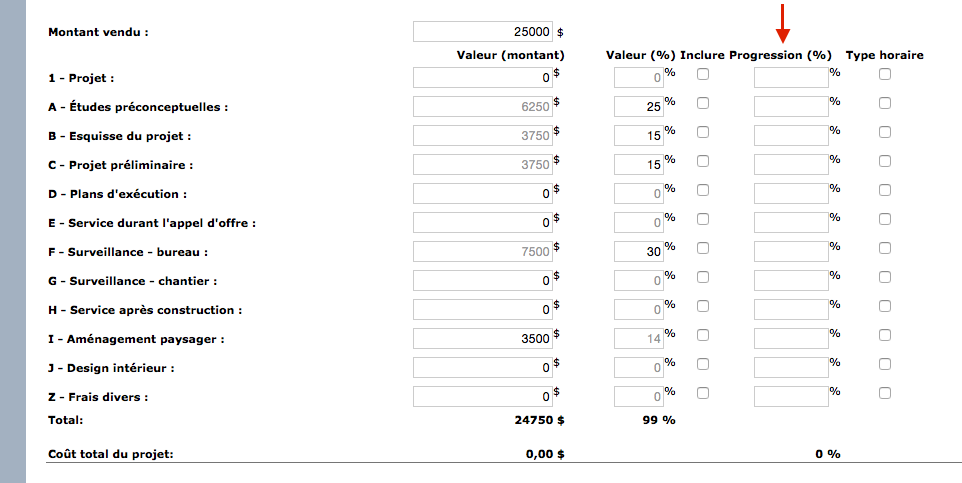
Add a new project or view an existing one. Then, add the amount sold corresponding to your service offer.
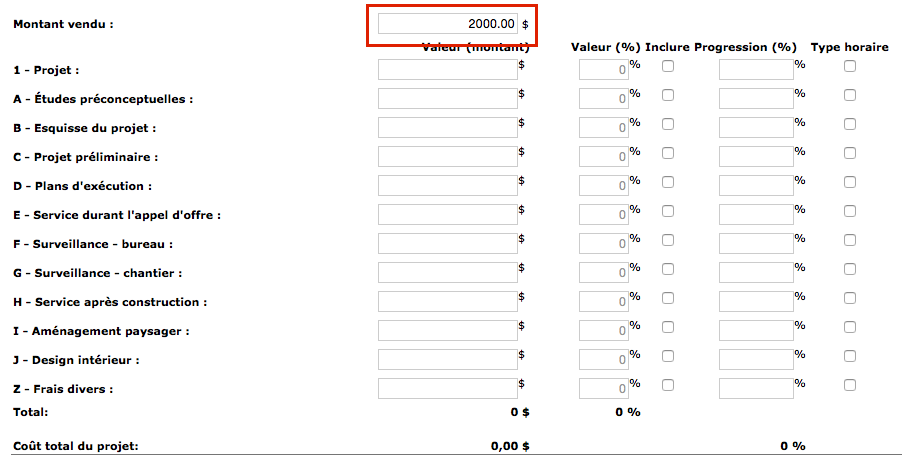
Under this amount, you can see the project divided into phases. Each phase has a value in money and percentage.
To fill in the table, choose a column in which you want to work. For example, by entering the values in percent, the monetary value is automatically adjusted. Conversely, by entering an amount, the percentage will adjust itself.
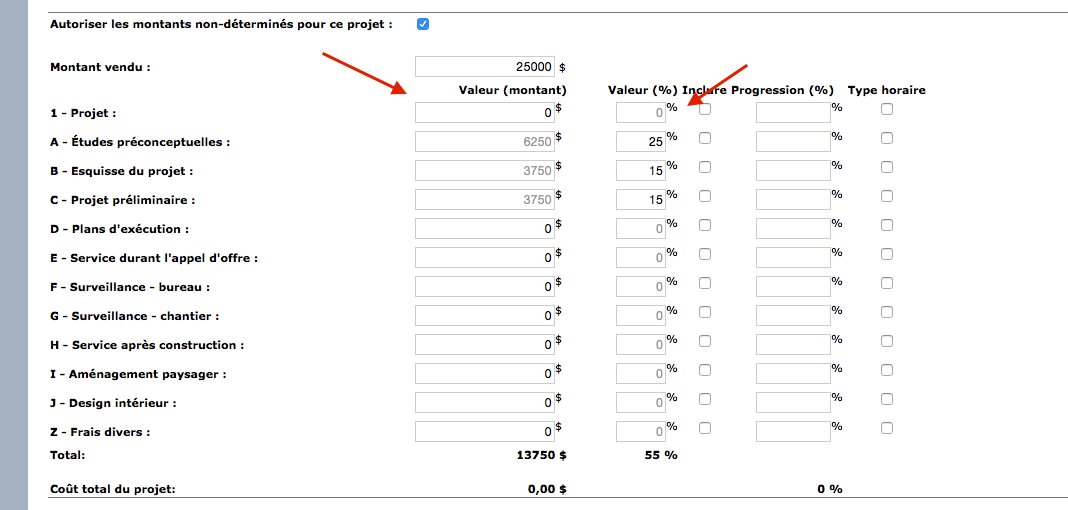
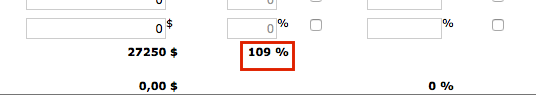
However, you must be careful with the data entered. Indeed, it is possible to enter values and obtain a total greater than the amount sold. You can notice it by the total in percentage which will exceed 100% as is the case in the example below. Readjust your data so that the total is at most 100 %.
The last column named “Progress” is a value used only internally, ie the customer will never see the level of progress. It is up to you to enter the progression values for each phase, as they will not calculate themselves.
Progression is more a matter of expertise and appreciation of the actual level of progress of the work. There is therefore no question of using the ratios of hours or costs generated. It is the expert, typically the project manager, who can determine the level of progress of the project. Note that the progress is the important data which makes it possible to produce the progress report. For more information on this report, see our text on this subject.
Billing projects by phase
When you get to invoicing, this information will be the basis on which you can produce your invoice.

Column 1: This column is used to enter the level of progress (unlike the level of “progress”, the level of progress is a level of achievement of the work that is communicated to the client. The latter may be different from the level of progression for reasons of business strategy, sales or management. Still a sensitive issue, the level of progress determines the portion of work to be invoiced on the project.
Example: The plans are ready, but some details are still missing. However, you know that they are complete enough for the tastes of the customer. The level of progress would then be 100 %, but the level of progress would rather be 90% because you know that there are still changes to be made.
Column 2: This column displays a summary of the amounts of work completed to date. The latter works with the level of advancement.
Column 3: This column shows you the amounts that have already been invoiced. This is very useful when you send several invoices to the customer and you don’t want to lose track.
Column 4: This column only gathers the amounts that will be invoiced. In this case, 25% was missing on the final project phase. This equates to $ 3,125 which is billed on this invoice.
Watch several videos on our Youtube channel and visit our Tips and Tricks section in the Blog to continue your Collabox configuration!
If you have any questions, please contact us and we will be happy to answer you.
(418) 907-9274


