A new feature has just been added to Collabox: the geolocated timesheet! This addition allows you to know where your employees enter their hours. This monitoring tool is super handy to know if the little latecomer in the office is entering his hours while still on the bus.
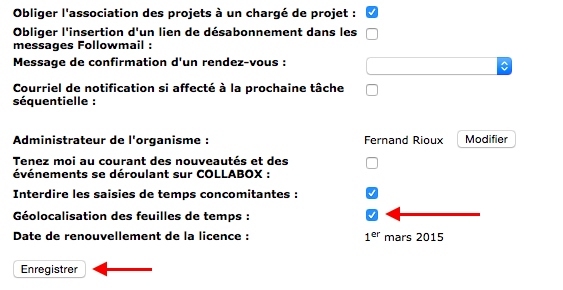
Whether you want to enable or disable this option for your organization, the path is the same, you will only have to check the box or not. To do this, you must display the settings of the organization by clicking on “Organization”. To activate the function, all you have to do is check the “Geolocation of timesheets” box. However, don’t forget to save the changes!How to activate or deactivate geolocation?

Do you want to consult the geolocation data of your employees? Nothing could be simpler, since the report by employees tells you so. We even thought about giving you a Google Maps link to view the entries on a map.
To access the report, you must first click on the “Reports” icon in the navigation bar at the top of the page.

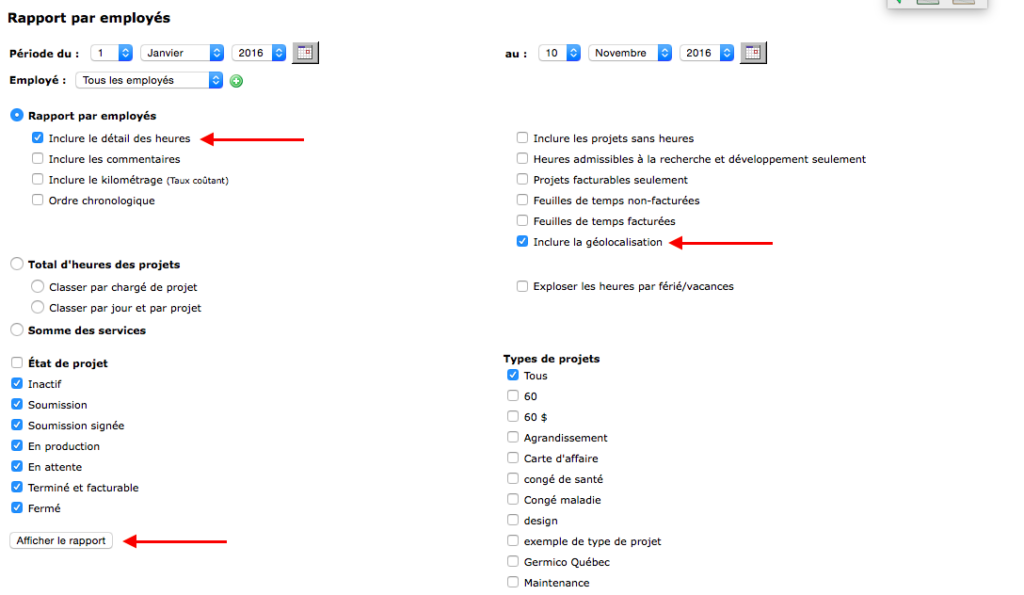
Then you must at least choose an option in the category “Report by employees” like “Include details of hours” in the example below. Don’t forget to check “Include geolocation”!
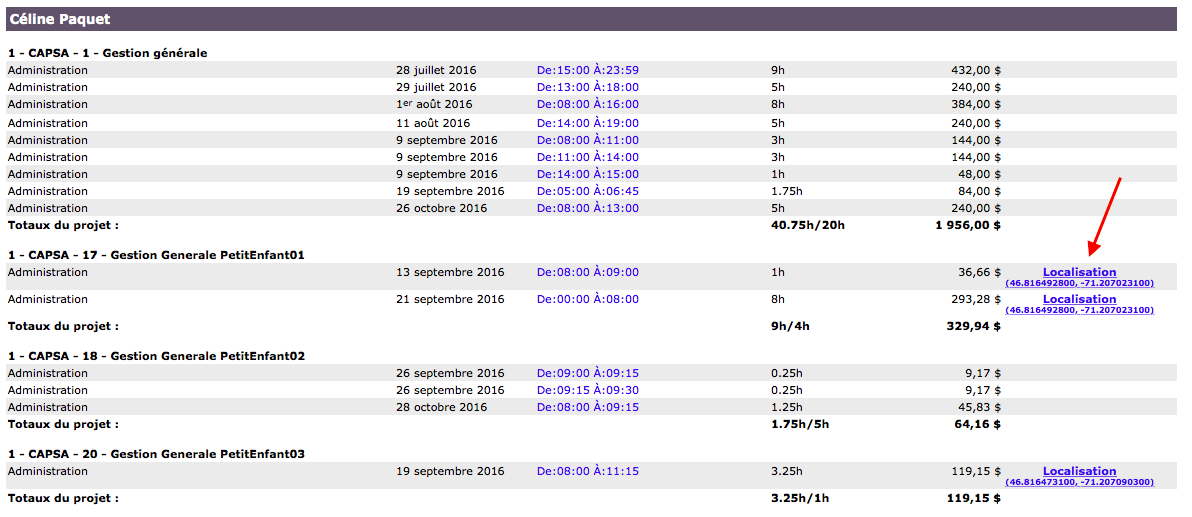
Here is an example of a report by employees of the geolocated timesheet entries. As you can see in the column on the right, the entries with a geolocation have a location link.
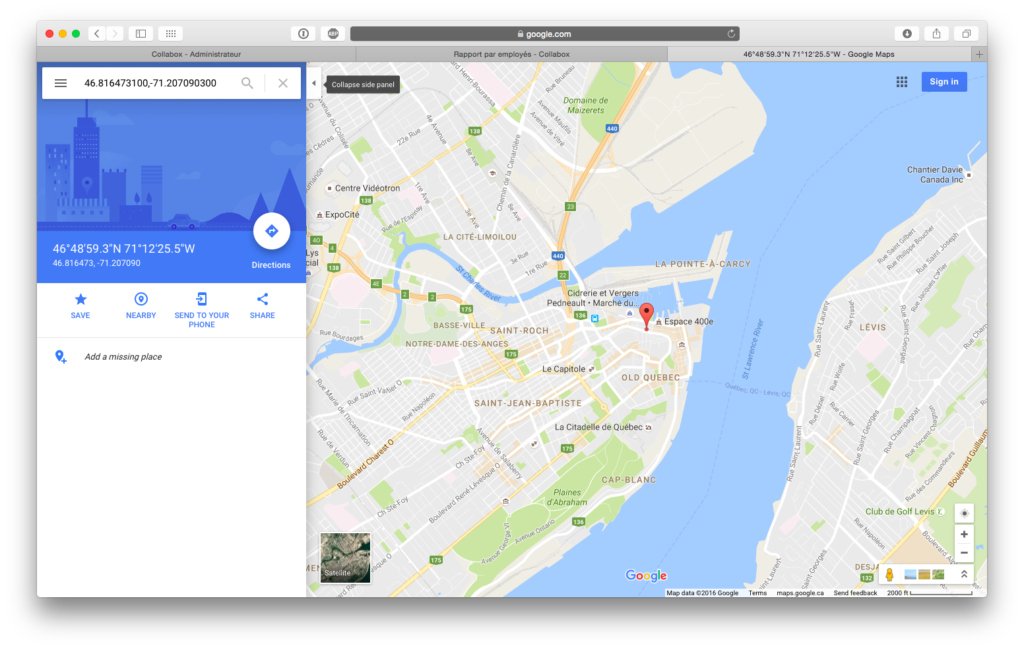
If you click on the link, you will see the position where the entry was made on the map.