The display of the amounts on your service offer is not as you wish? Several modifications are possible for a better result.
First, you should know that the amounts can be modified from two places, the Info tab and the Phases tab of the service offer.
Service offer
On the Service Offering Update (SOA) page, under the Info tab, first choose the overall structure of your document. You have three choices. Determine which one you like best. The section Display totals allows you to display the amounts for each phase, to see only one amount (the total) at the end of the offer or to put no total at the end.
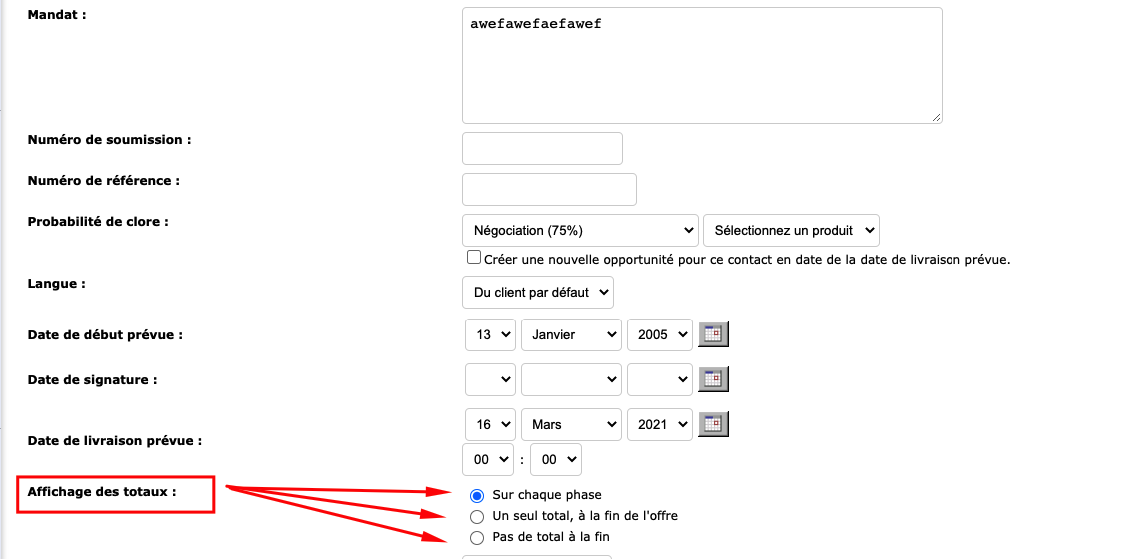
Display of amounts
Then, on the Phases tab of the same page, determine if there are any exceptions to the rule and select the options you want .
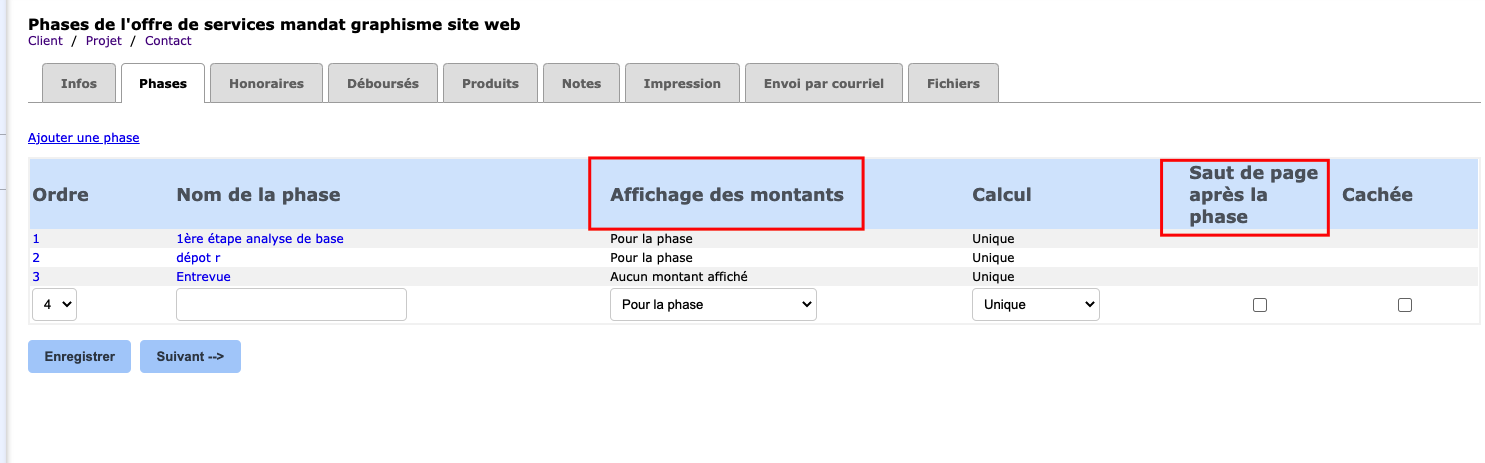 For each phase of your ODS, there are different options for displaying the amounts. Choose the one that best suits your needs.
a) On each element: Amounts aredetailed on each element of the phase.
b) No amount displayed: The amounts are hidden on the service offer.
vs) Both : The amounts are displayed for the AND phase for each of its elements.
d) Do not calculate amounts : The amounts are displayed, but they are not calculated for this phase.
e) For the phase: A total amount for the phase is displayed on the ODS.
Price calculation
Then determine how you want the prices to be calculated.
at) Unique : The amount for this phase is calculated only once.
b) Monthly : The amount corresponding to this phase is calculated once a month.
vs) Annual : The amount is calculated once a year for this phase.
Page break
If necessary, force a page break to divide your ODS with the check box Page break after the phase . For example, if your phase 3 is on two pages and you want to see it on one page, you must check the page break for phase 2.
Hidden amount
Hide a phase of your ODS with thea Hidden checkbox. The phase does not appear when you send the document to a customer, but the amounts in the phase can still be posted to the calculation. In addition, this option can be useful when you want to take the phase into account in other Collabox operations.
Finally, find out about model service offers or express service offers.
Watch several videos on our Youtube channel and visit our Tips and Tricks section in the Documentary Blog to continue using the Collabox!
If you have any questions, please contact us and we will be happy to answer you.
info@collabox.com (418) 907-9274 ext. 120


