To help you better manage your employees’ vacations, Collabox is there for you. Just create a project called “Holidays”. Employees will be able to use it from their timesheet or agenda to request time off.
Initial configuration
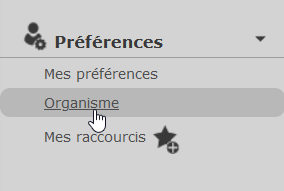
First, click on the “Organization” menu in the left sidebar.
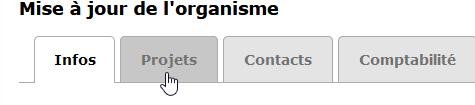
Then click on the “Projects” tab to access the project customization features.
You must then update the project types by clicking on the link of the same name. This page shows you all the types of projects in your organization. Make sure you find a “Holiday” type...
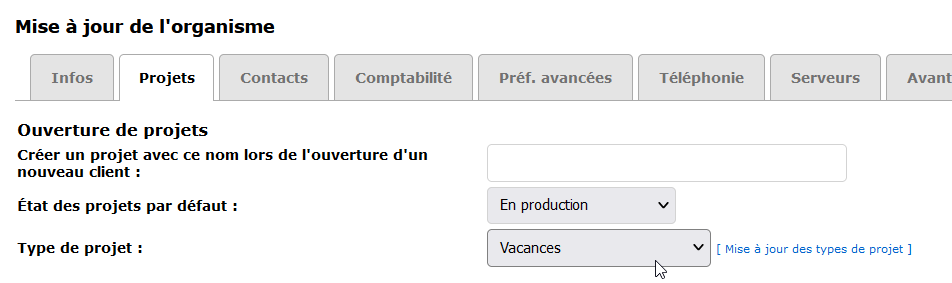
Create a vacation project
Now create a project normally. Go to the list of projects and add one.
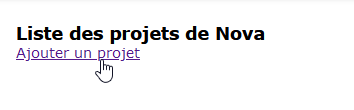
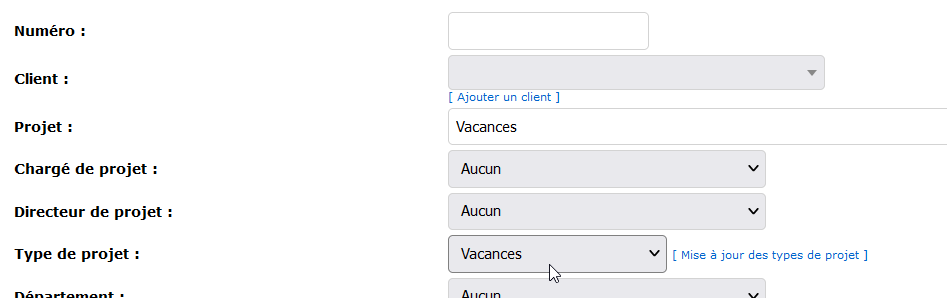
Give the name “Holiday” to the new project and don’t forget to select the project type of the same name.
There are other options in this “Project” tab, if needed. It is recommended to create a vacation project every year.
Configure time banks
Configure the time banks of your employees via the Employee File under the main menu “Configuration”. They will be very useful for vacation management. You can add the hours accumulated in the assignment by employee on the project Vacation. This way, you’ll see if an employee exceeds their accrued vacation time!
Watch several videos on our Youtube channel and visit our Tips and Tricks section in the Documentary Blog to continue using the Collabox!
If you have any questions, please contact us and we will be happy to answer you. info@collabox.com (418) 907-9274 ext. 120


