Appointment : Agenda content
The agenda content can now be shown or hidden, depending on your personal preferences. Thus, you can opt for a very detailed or rather refined visual. The choice is yours!
When you take notes in your appointment form, the content is displayed in your appointments. But, if you don’t want them to be displayed, you just have to uncheck the function : Content display and voilà, the visual of your agenda will automatically be less heavy.
Go ahead, take some notes now!
Access the calendar
First, go to the Calendar module.

To have the content display functionality, select the “Week” or “Day” tab. The “Month” tab does not allow this option.

Then check the box for displaying the contents of the appointments if you wish.
Here is the visual of the content of your appointments in detailed version.
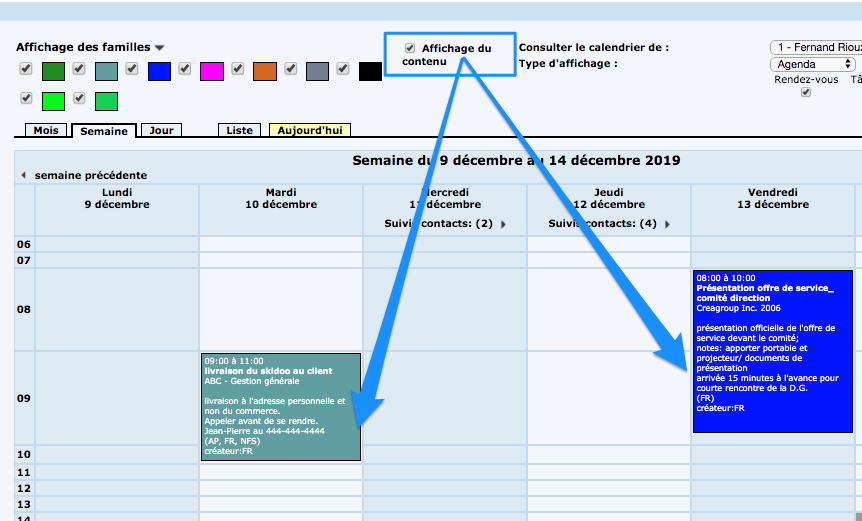
Here is the visual of the content of your appointments in a purified version.

In addition to the content, there is the option to show all families or to show only the desired families.
Watch several videos on our Youtube channel and visit our Tips and Tricks section in the Blog to continue your Collabox configuration!
If you have any questions, please contact us and we will be happy to answer you.
info@collabox.com (418) 907-9274


