Collabox has a time stamp among the different timesheet options. The latter allows employees on the road or working outside the company to simply enter their time. It is also effective for cooks! Easy to use, it is compatible with computers, mobiles and tablets.
How to use the time stamp
First, select the “Timesheet” menu from the main page. Then, make sure you choose the right date and employee name.
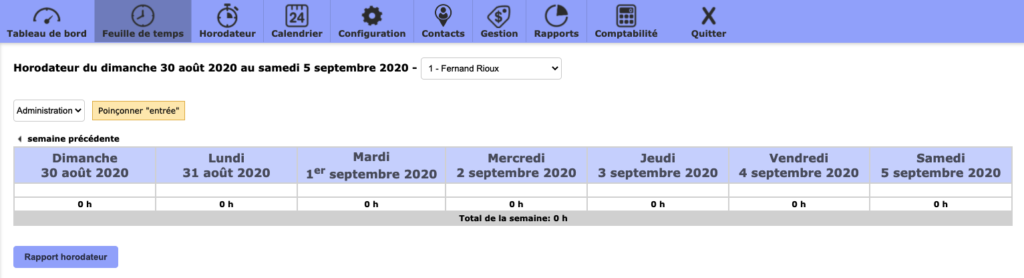
Then “punch in” at the beginning of your shift. The time will be displayed and you can start your work day.

During your breaks or at the end of your day, “punch out” again, this time for the exit time. The time will display itself.
Employee Report
View your employees’ time reports easily. First select “Reports” from the main menu.

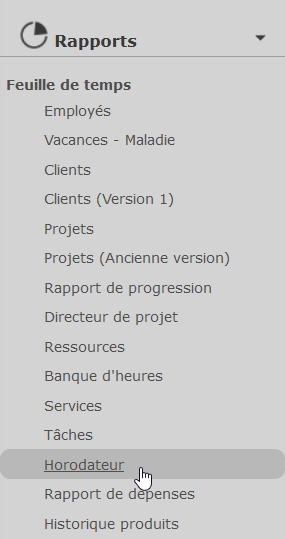
Then choose the “Time Stamp Report” function from the left-hand menu.
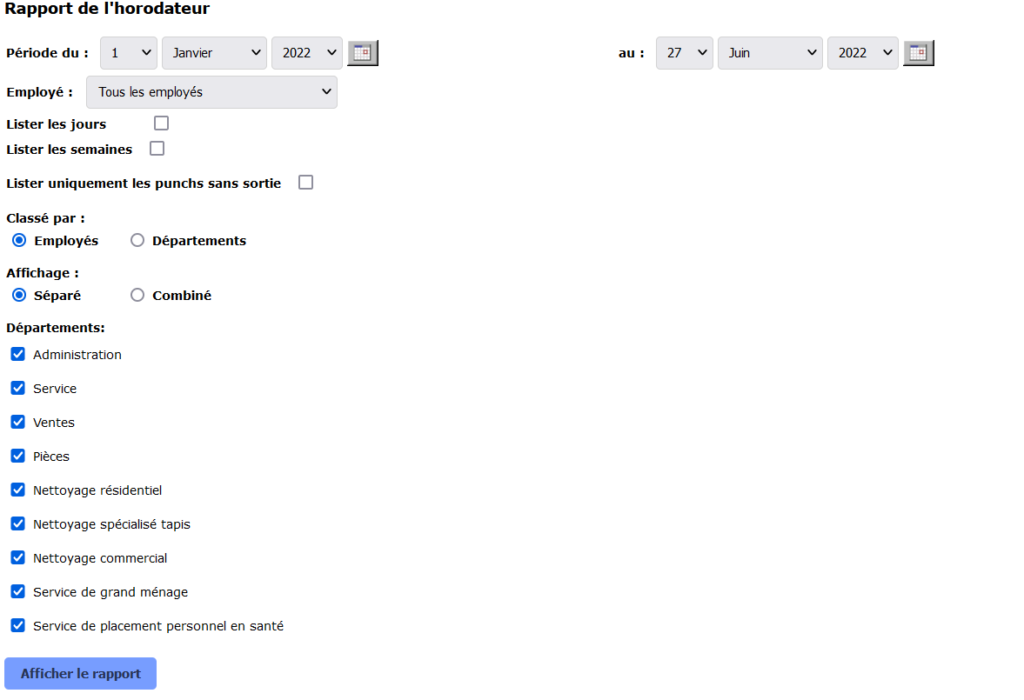
Select the desired fields, then display the report.
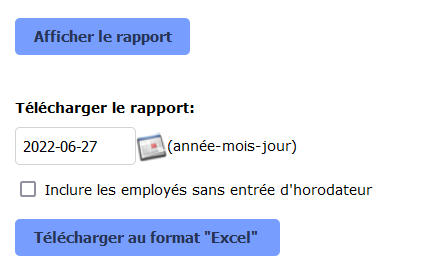
If necessary, save the report in Excel format.
The parking meter is available by monthly subscription. Contact us to subscribe!
Watch several videos on our Youtube channel, and visit our Tips and Tricks section in the Blog to continue your Collabox configuration!
If you have any questions, please contact us and we will be happy to answer you.
info@collabox.com (418) 907-9274


