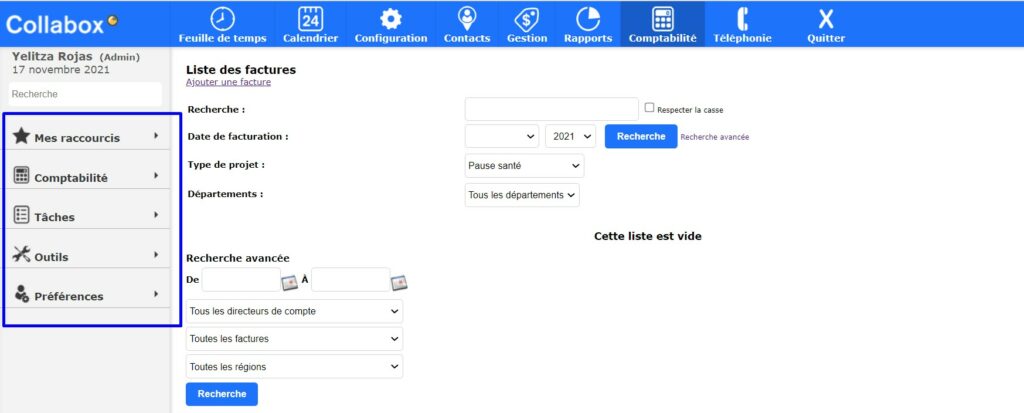
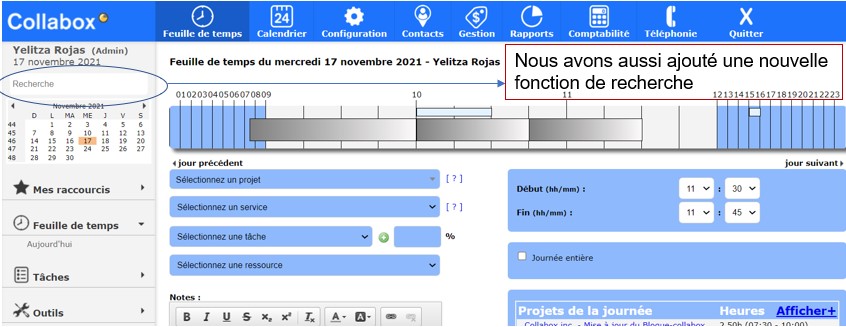
On the left side of the screen, you have the navigation and search bar that appears.
Navigation bar
This last one gathers all your options related to the Modules you have subscribed to.
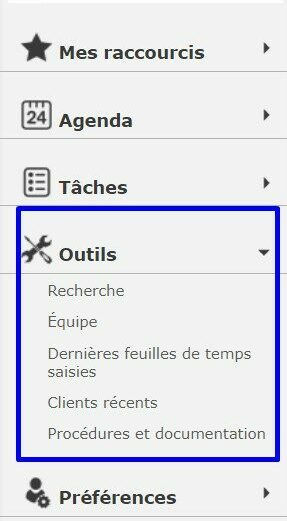
Each section of the navigation bar folds in on itself. You can therefore quickly navigate through your features.
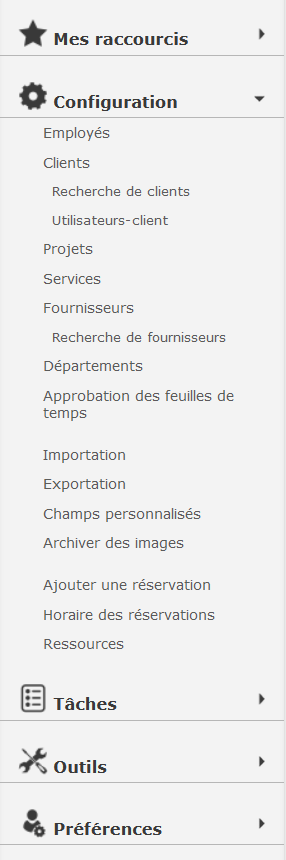
Moreover, when you select a tab in the main menu, i.e. a module in Collabox language, the navigation bar of this module is automatically displayed on the left. For example, when opening the “Configuration” menu, all the features attached to it are displayed.

Search function
Searching for a customer, supplier, disbursement or employee is now made easier with the Collabox search function.
You can therefore enter keywords in the bar above the calendar to start the search. Collabox will then present to you the result of its search, classified by category. These separate your results according to the different Collabox modules such as timesheet, contacts, service offer, etc.
Watch several videos on our Youtube channel and visit our Tips and Tricks section in the Blog to continue your Collabox configuration!
If you have any questions, please contact us and we will be happy to answer you.