What do Valentine’s Day, Easter, Halloween and your birthday have in common? These are all Holidays highlighted by Collabox! Indeed, by subscribing to event themes, you will be able to see Collabox change over the seasons. All the functions will remain the same, only a few aesthetic details will change over the seasons. It is therefore only the visual of your page that changes.
For example, we decided to be festive for Christmas and to share with our users a theme only for the holiday season.
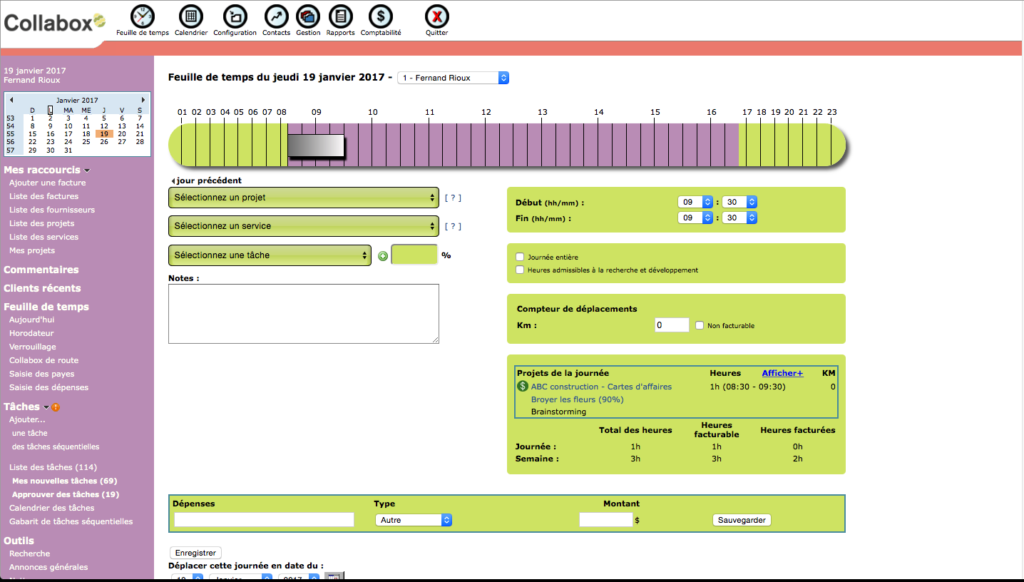
To ensure that you see the event themes, it is important to check this option in your settings.
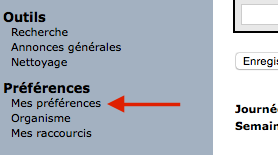
The first step is to access the Collabox settings. To do this, click on “My preferences” at the bottom of the left column. Finally, all you have to do is check the small box to the right of “Subscribed to event themes”.Parameters to modify to subscribe to event themes
Once in the preferences settings, go to the display settings by clicking on the “Display” tab.

Everything is now set to receive little surprises on your Collabox throughout the year!
And for those who wish deactivate event themes, just follow the next few steps. The first step is to access the Collabox settings. To do this, click on “My preferences” at the bottom of the left column.
To deactivate themes
Once in the preferences settings, go to the display settings by clicking on the “Display” tab.

Finally, all you have to do is uncheck the small box to the right of “Subscribed to event themes”.


