When implementing ERP software, there is preparation, reflection, analysis and many other elements to consider.
This article talks about the factors that trigger a reflection on the implementation of an ERP system. It also presents questions to ask yourself before, during and after implantation. Finally, he describes some success factors that can be used to determine whether the implementation has been successful.
1. Identify your needs
The first step before implementing an ERP system is to determine your needs, what you need to be in control of your business. This may relate to your timelines as well as knowing the actual costs of your projects. So list all your needs first.

Then, check with your organization to find out what employees expect and how they perceive the digital shift. Do you already have processes in place? You can check with your suppliers.
2. Communication
Ensure that all stakeholders in the company are aware of the implementation process. Senior management involvement is important. Follow closely the evolution, share your reactions, inform and take an interest in the ongoing process. Change management is important to reassure employees.

3. Implementation of the ERP management software
Implementation is a gradual process. Each need is evaluated, analyzed and a reliable, cost-effective and sustainable solution is provided. Your company goes at its own speed. The configurations are done in several steps. There is the import of existing data, such as customers, invoices and contacts, into the new software. Then, training on the use of the Collabox is given in order to optimize the efficiency of your employees. The Blog and Youtube Videos are accessible at all times as needed.
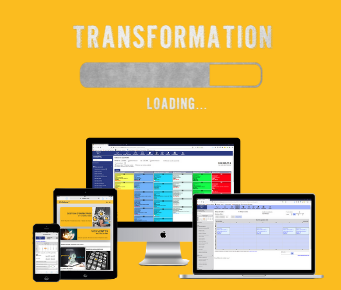
To conclude, here is a short “dynamic” presentation on 5 success factors to implement an ERP management software made by Louise Lahaie during a networking breakfast at the Réseau des Femmes d’Affaires du Québec, Quebec City region.
[embeddoc url=”/wp-content/uploads/2020/09/5-facteurs-de-réussite-pour-implanter-un-ERP_-sept2020.pptx” viewer=”microsoft”]


