Registration management for all your activities. Do you organize events, conferences or virtual sessions in the form of webinars? Do you offer courses, training or workshops? It’s for you!
We have a Collabox function that allows you to manage registrations in different ways, on a special web page or directly on your website. Events, training courses, subscriptions, all the possibilities are there for you. Automated invoicing is also planned.
Registration management
The first step is to create a billable project that matches your business. Don’t forget to check the “Show on registration form” box and add the cost of the activity.

There are 2 ways to manage online registrations. The first is a “hidden” web page accessible via the Collabox using a special link. The second is via a transactional page on the customer’s website. You can also choose to create your own listings in Collabox.
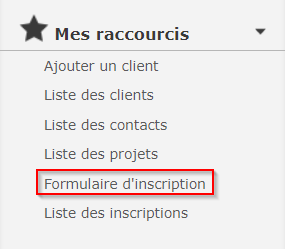
To access your registration form, select the link in the left-hand menu.
Then the form will appear, with a box to select the desired activity. All active activities are listed in this drop-down menu.
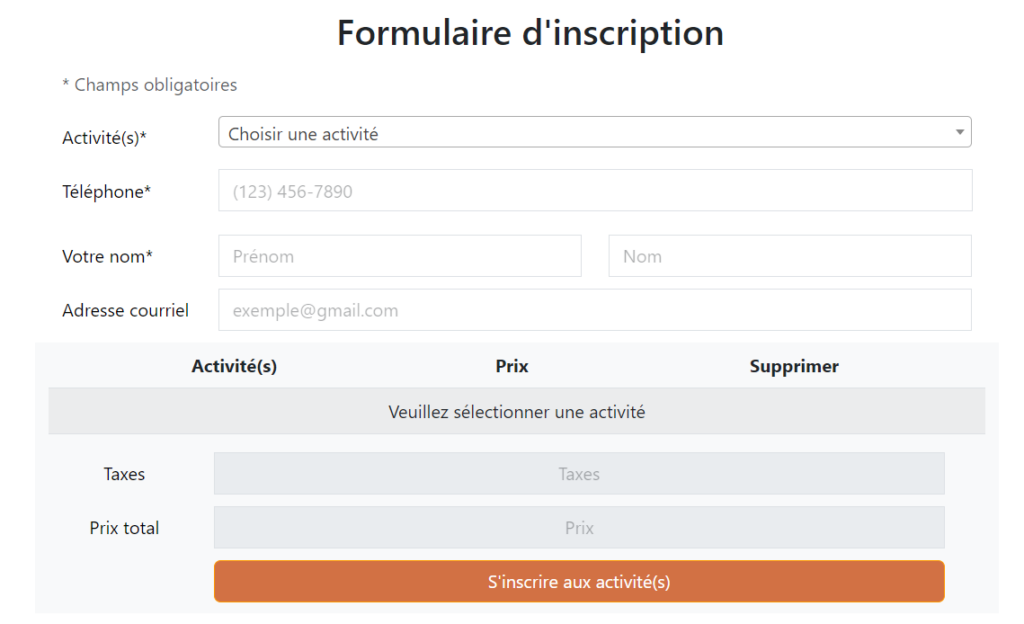
Add the personal information of the individual who wishes to register. If he’s already one of your contacts, simply add his name and all the other fields will fill in automatically. You can add several people if they come from the same customer. For example, 3 entries for Collabox!
The price is calculated automatically, and the registration becomes an invoice as soon as you save the form.
Now all you have to do is send it to get paid!
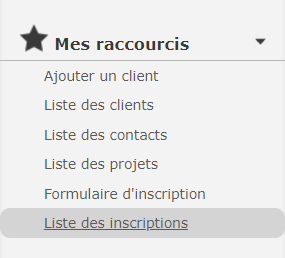
The list of participants can be accessed via a link in your shortcuts.
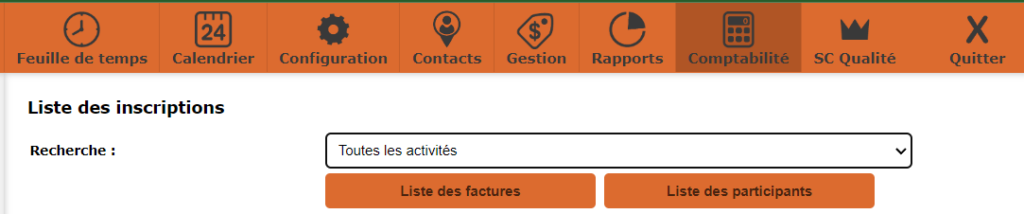
It is also visible in the project tree (activity).

Watch several videos on our Youtube channel and visit our Tips and Tricks section in the Documentary Blog to continue using the Collabox!
If you have any questions, please contact us and we will be happy to answer you.
info@collabox.com (418) 907-9274 ext. 120


