Appointment reminders.
Do you have an important appointment on your calendar and want to make sure you don’t forget it? Collabox now offers an email and SMS reminder service. Add the feature to your preferences and you’re done! First decide if you want more than one appointment reminder, for example the day before and one hour before.
Then choose the desired time forthe notification. Just click on your appointment to display the reminder options. It’s simple as hello.
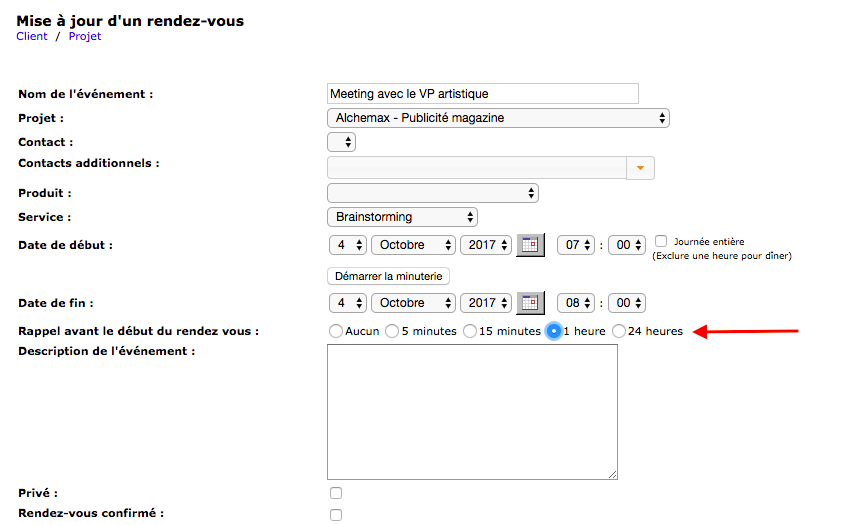
How to set up reminders
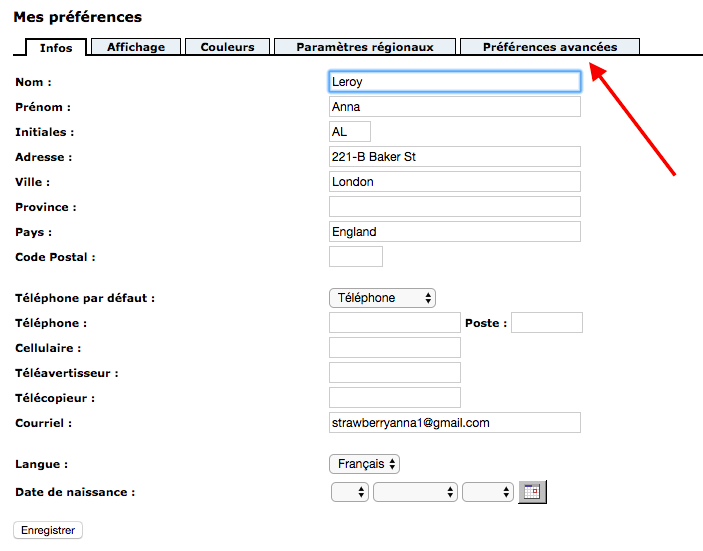
Can’t see the reminder option in your appointments? You just have to configure them in your preferences. To do this, click on “My preferences” in the left sidebar.

Then click on the “Advanced Preferences” tab.
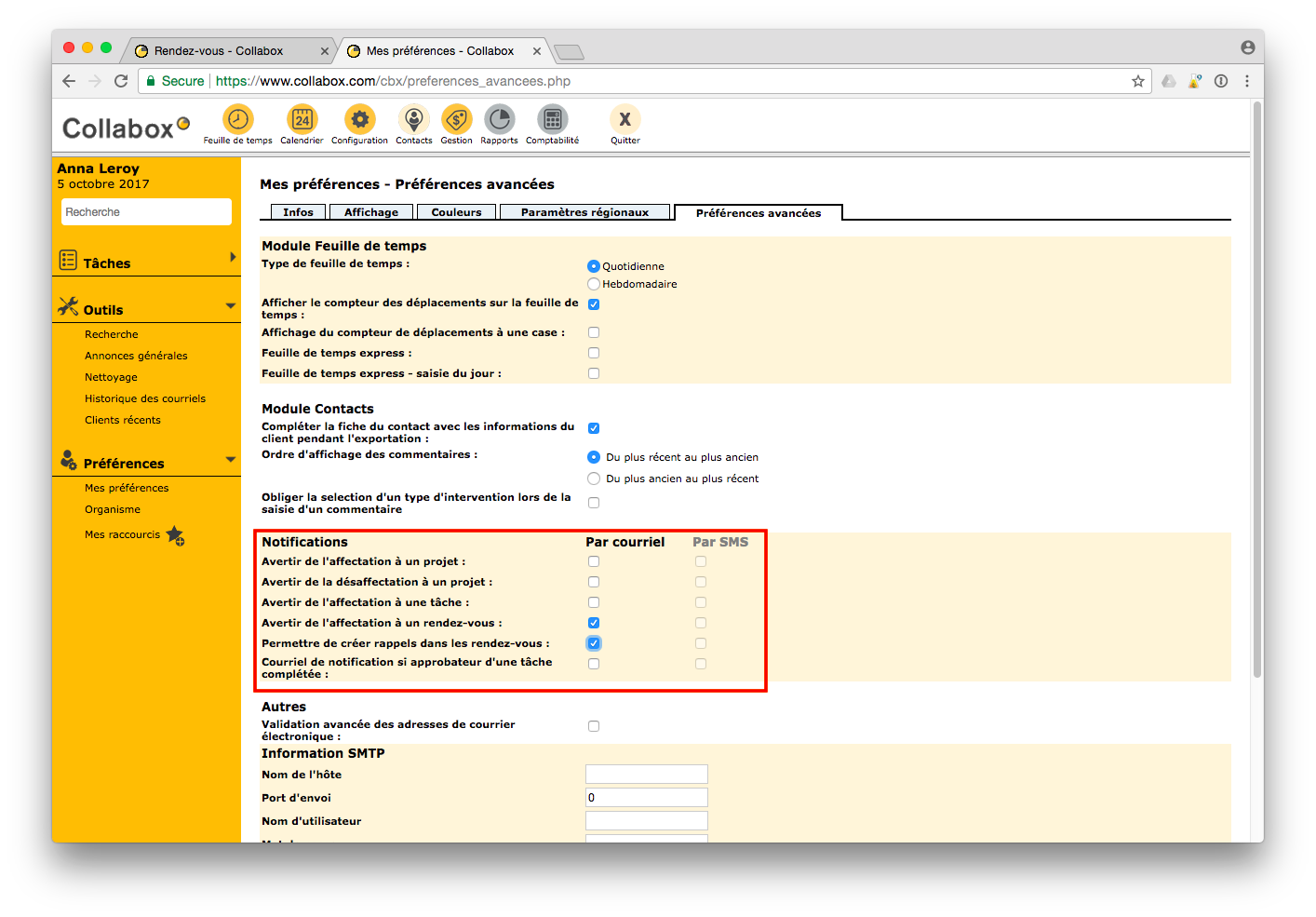
 Finally, you will see the “Notifications” section. Select the ones you want and you’re done. If the SMS option is gray, contact us . We need to hook you up to the system.
Watch several videos on our Youtube channel and visit our Tips and Tricks section in the Documentary Blog to continue using the Collabox!
If you have any questions, please contact us and we will be happy to answer you. info@collabox.com (418) 907-9274 ext. 120


