Making payments on customer invoices is very simple. Managing your invoices is more than just creating them and sending them to customers. It is necessary to add the payment of the said invoices otherwise nothing goes anymore! Collabox and its accounting module allows you to keep track of your invoice payments.
Adding payments
First, open the invoice that is related to your remittance to be added.
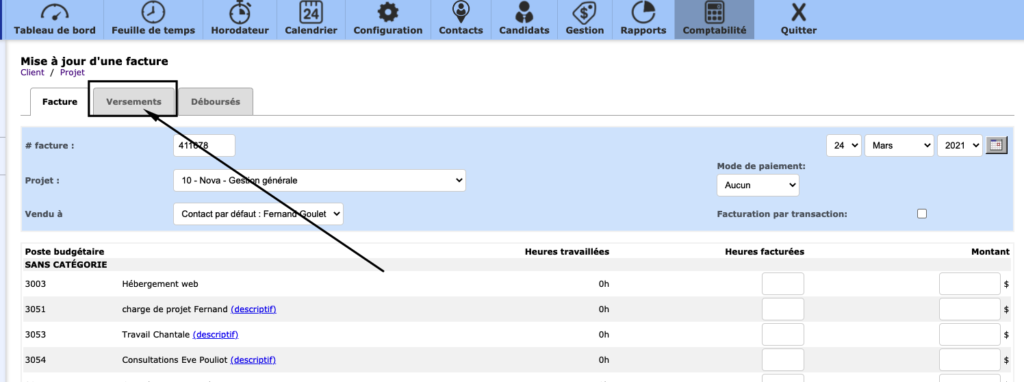
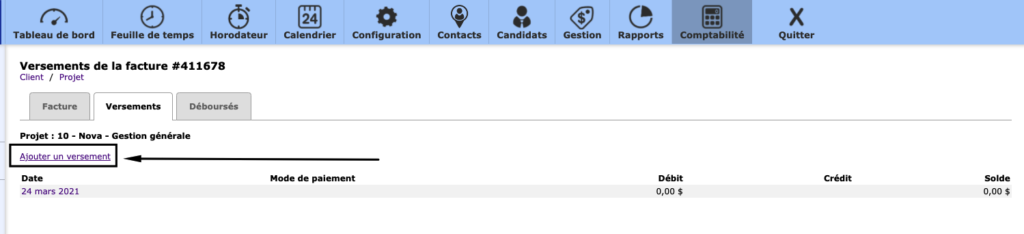
Then click on the “TRANSFER” tab at the top of the page. Add a payment by clicking on the function of the same name.
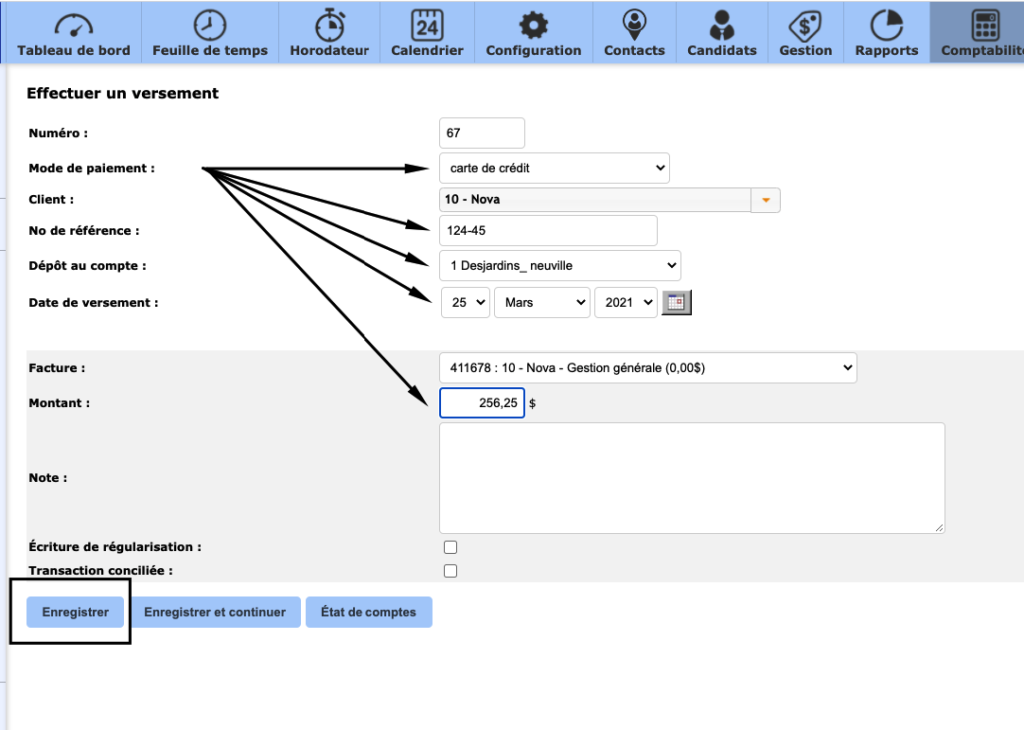
Then, correctly indicate the terms of your payment. Several important fields must be filled in to ensure the proper accounting of your company. Specify the method of payment and the date of deposit. Then add a reference number if needed. Then choose the transactional account where the payment will be deposited. Finally, make sure that the amount paid is the correct amount indicated in the Collabox. By default, this is the unpaid amount of the invoice.
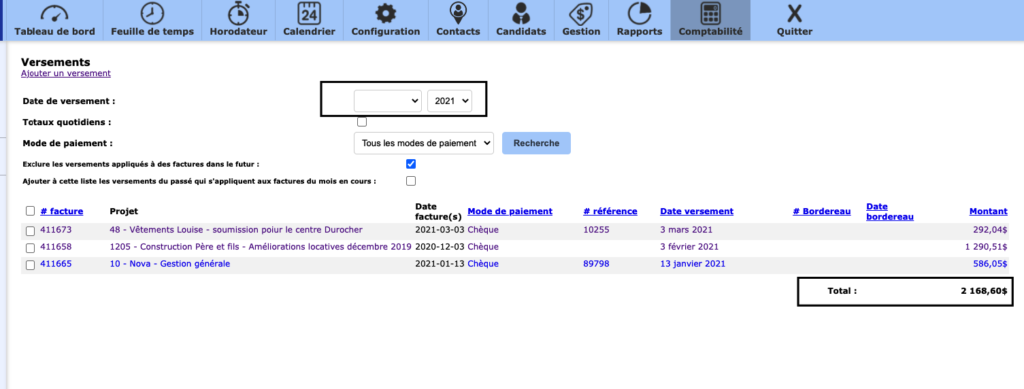
You can consult the list of all your payments for a given period by clicking in your menu on the left on the word VERSEMENT
Watch several videos on our Youtube channel and visit our Tips and Tricks section in the Blog to continue your Collabox configuration!
If you have any questions, please contact us and we will be happy to answer you.
info@collabox.com (418) 907-9274


