Optimize the reading of your calendar with the option to display or not the appointment families.
Sometimes our schedule is quite busy and we want to be aware of everything that is happening in our organization.
On the other hand, there are some days when you would like to hide some categories to have a more uncluttered view.
So we have added a feature that is a checkbox to choose the families that are right for you.
How to display one or more families
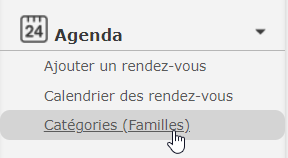
First, go to your “Agenda” function in the left menu and click on the Categories (family) function.
On the right, in the column entitled “optional”, check the categories you wish to see displayed in your calendar.

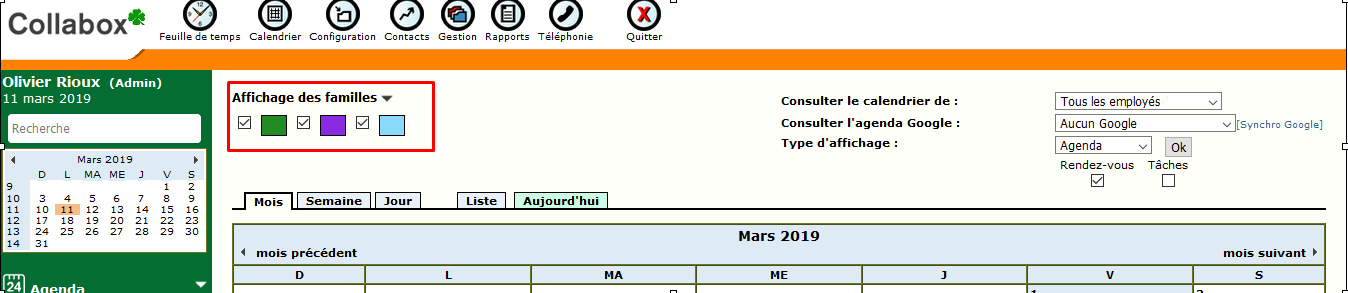
The selected optional families are displayed at the top of the calendar. You can hide or show them. Your cookies store your preferences. You can also select one or more at a time, for a quick visual of a particular family type.
Watch several videos on our Youtube channel and visit our Tips and Tricks section in the Blog to continue your Collabox configuration!
If you have any questions, please contact us and we will be happy to answer you.
info@collabox.com (418) 907-9274


