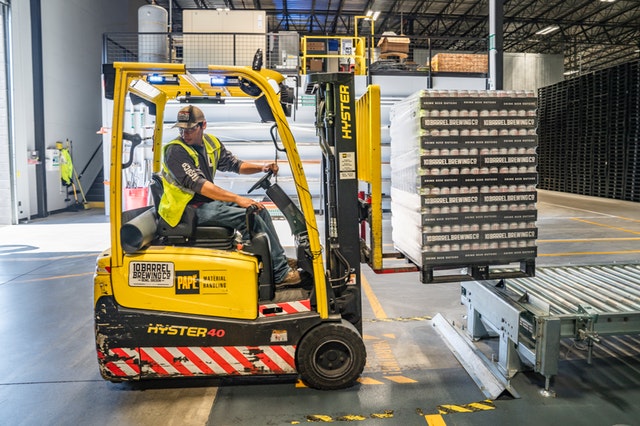
Collabox offers advanced configuration for inventory management functionality. It allows each employee to manage the entry and exit of products.
Even set up alerts in case of foreseeable stock-outs.
Inventory management by warehouse
Inventory management is also possible by “warehouse”. Define different warehouses that can be a storage room, a truck in which installation equipment is kept, and even a vending machine. Any place that “keeps stock” can be considered and managed as a warehouse.
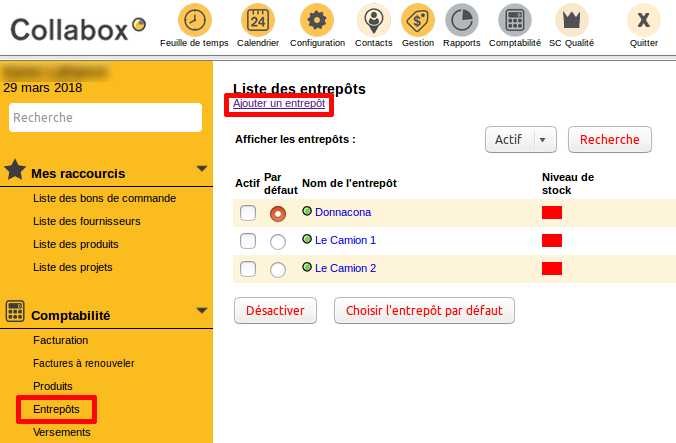
List of warehouses
It all starts with the list of warehouses. Go to the Accounting module. This list allows you to list all your warehouses, see the stock level and choose a default warehouse.
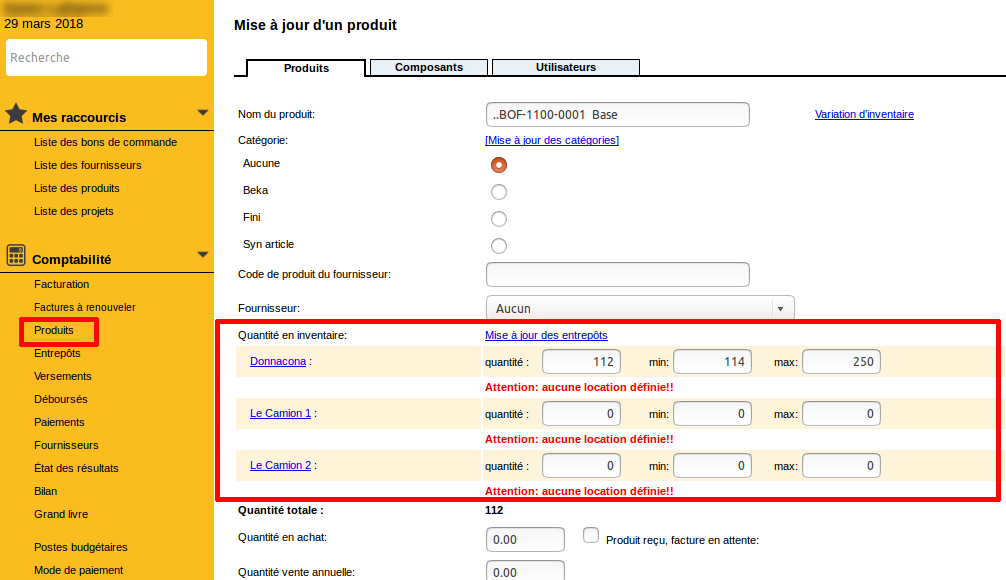
Then, in your product sheets, you will see a section appear with your warehouses. Write down the inventory, as well as the minimum and maximum of that product that you need to find in each warehouse.
This information appears in the product list in abbreviated form. The quantities are displayed in blue when there are more products than the minimum required, and in red when there are not enough.

Out of stock alert
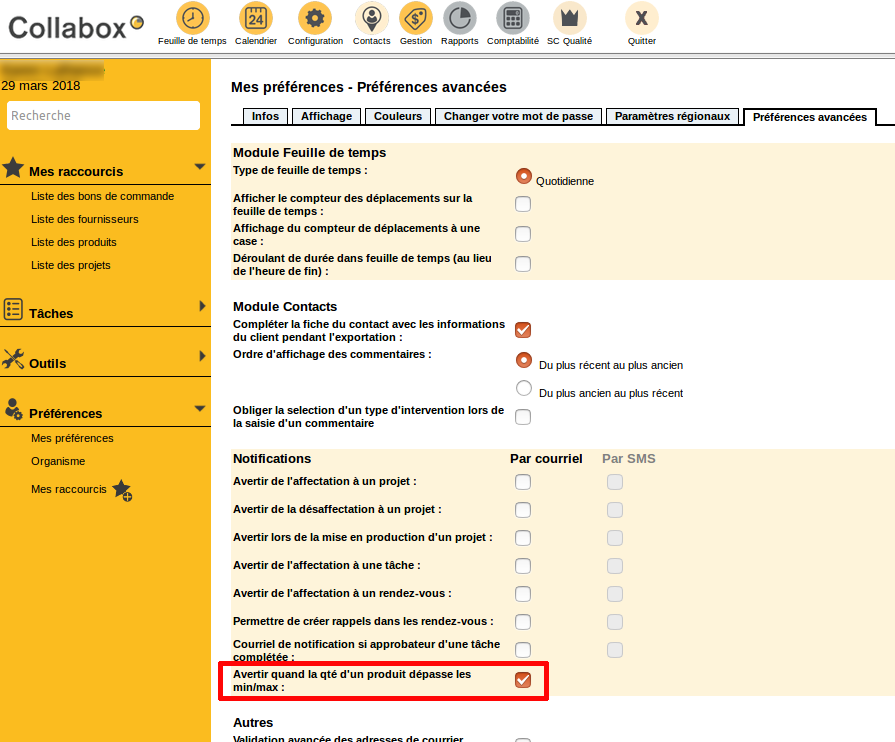
Activate the alert for exceeding the minimum and maximum products in the Advanced Preferences . Thus,as soon as the system detects a rupture or an overflow in your warehouse, it sends you an alert.
Once these configurations are completed, you can manage the release of your products. Indicate directly the quantities withdrawn or added to the warehouse when invoicing your customers.
Inventory management in the invoice
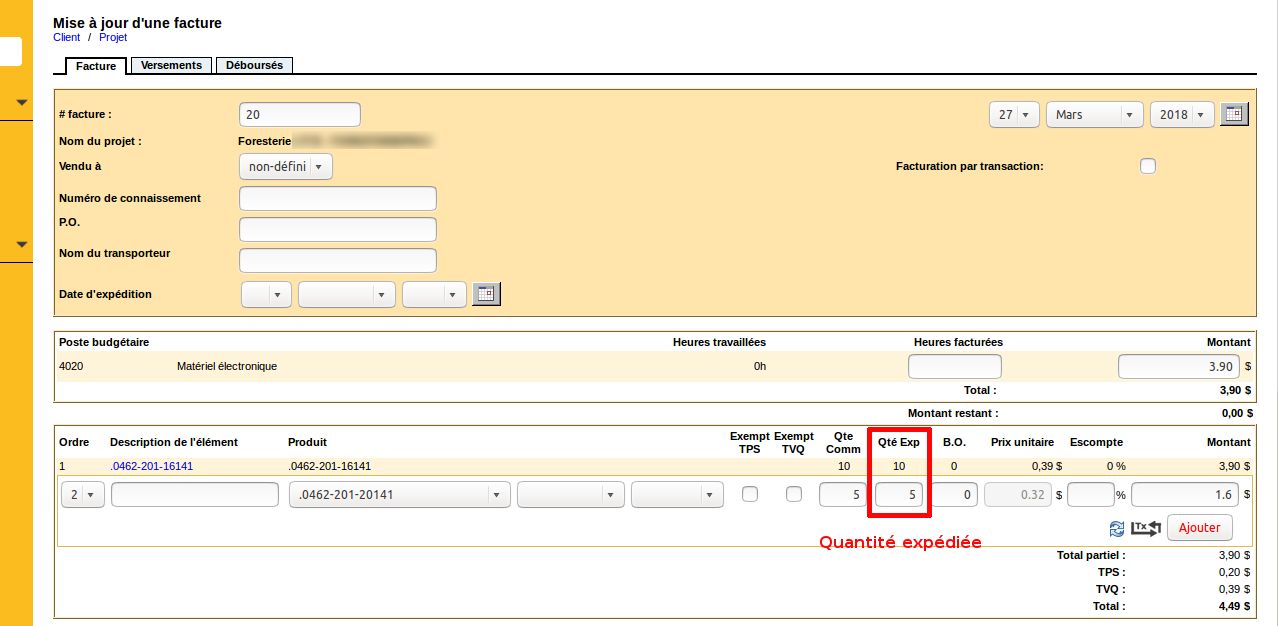
In an invoice, fill in the Exp Qty field , corresponding to the quantity of product shipped. This is the quantity invoiced to the customer. For example, if you write “5” in this field, Collabox will automatically enter an output of 5 items of this product. The inventory automatically adjusts itself.
Compatibility with the mobile device
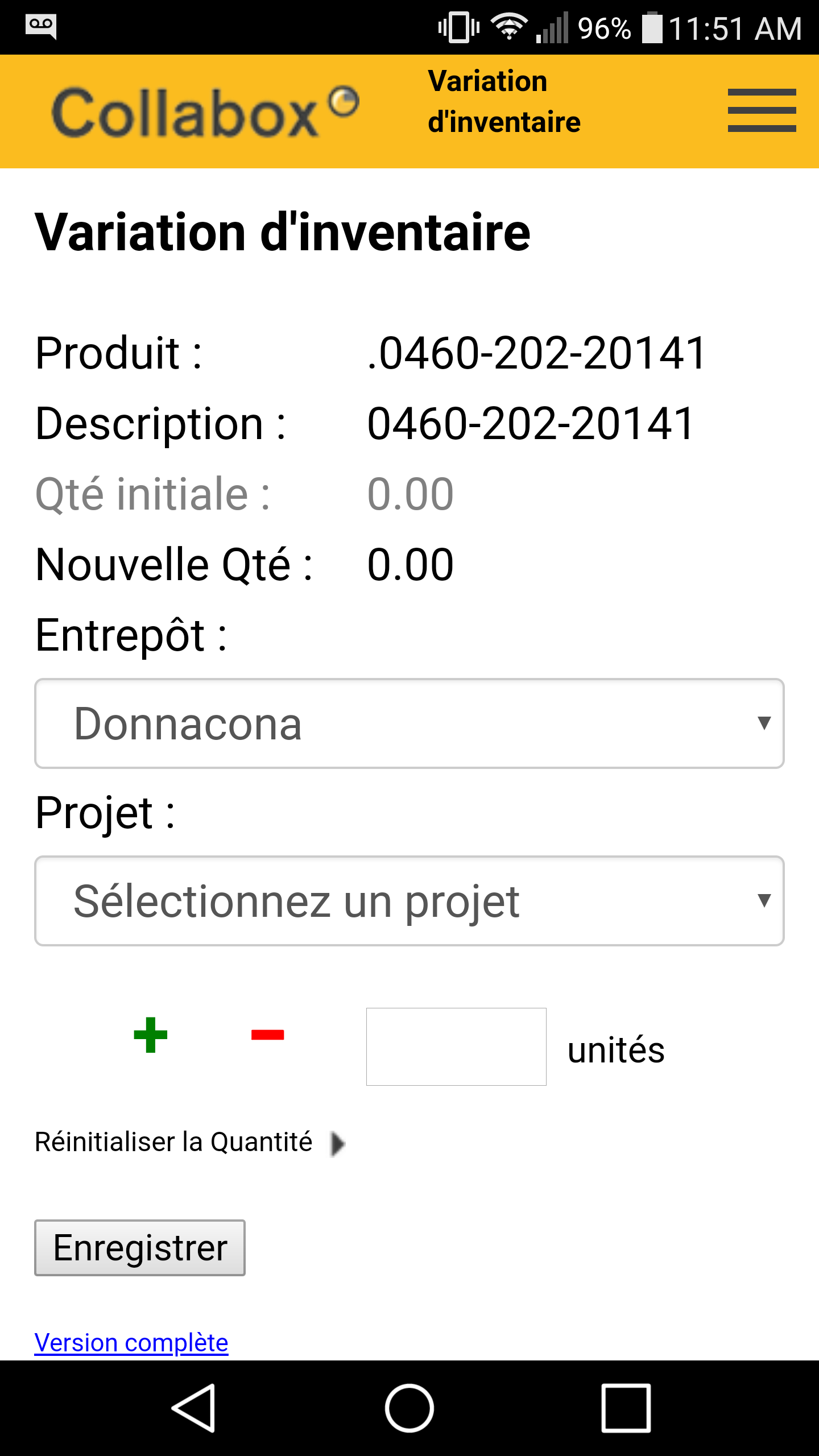
Easily view inventory on your mobile device. This feature helps your employees on the go never lose control.
Go to a product sheet. Click on the link Inventory Change which leads to a small adjustment sheet for this product.
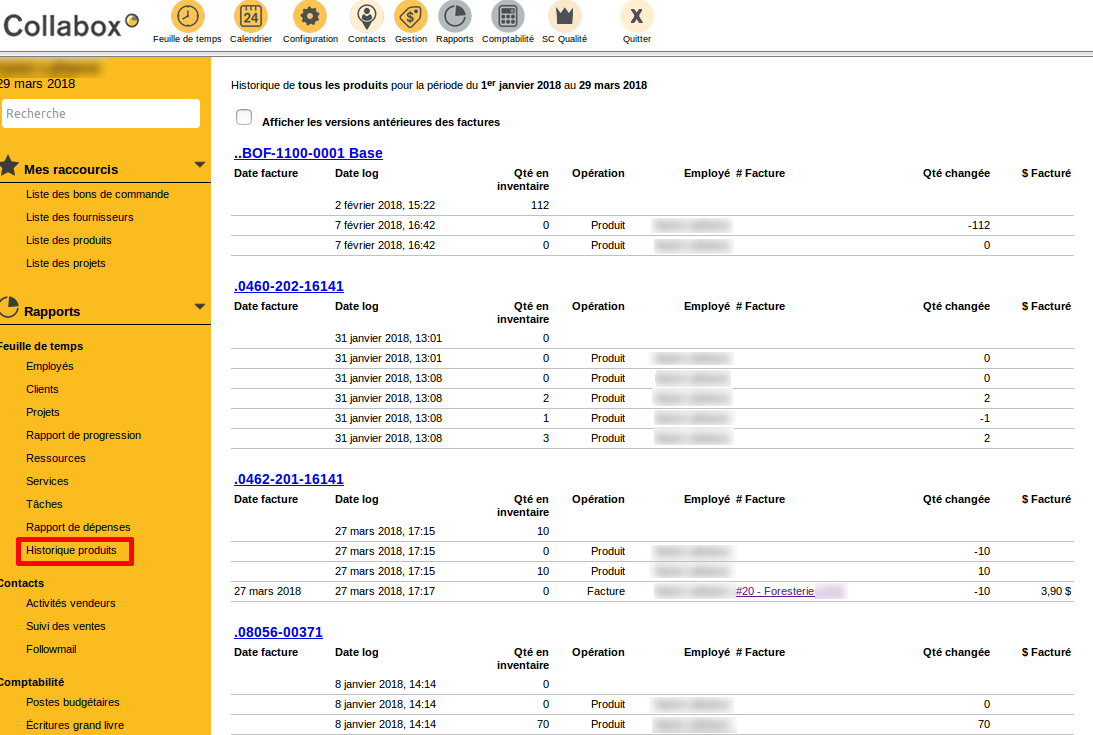
In order to monitor the different movements in the inventory over a given period of time, consult the Product History report in the Reports module. You will even see by which employee the entries and exits were made.
Watch several videos on our Youtube channel and visit our Tips and Tricks section in the Blog to continue your Collabox configuration!
If you have any questions, please contact us and we will be happy to answer you.
info@collabox.com (418) 907-9274


