Getting the most out of the Collabox timesheet
The timesheet is an indispensable tool for any business that needs to measure and bill hours to clients. Collabox offers you the possibility to choose between 4 types of reflected timesheets:
- For those who like to keep their habits
- With a trendy aesthetic
- For those who need to see the big picture
- The most accessible from phones
1. The Standard
The first type of timesheet is designed for people who like to keep their habits. Its design is reminiscent of traditional timesheets, while offering the advantages of digital. Detail your different tasks! Take a look at the standard timesheet
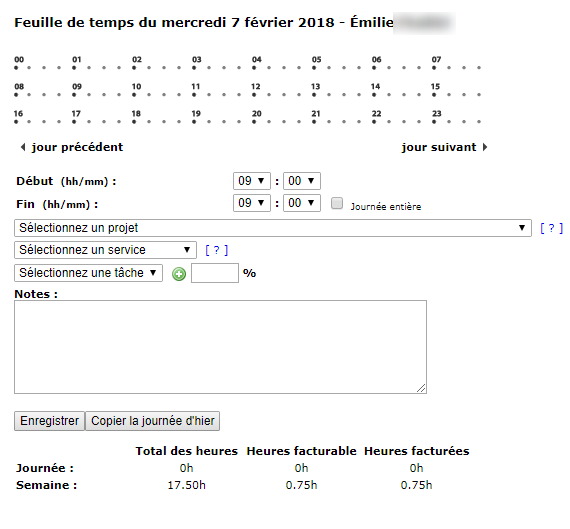
Example of a standard timesheet
2. The techno
Among the timesheet types, this template is the only one to offer a new “drag and drop” design that will appeal to techies. The more modern aesthetic of its new graphical interface retains all the standard timesheet options you love and use.
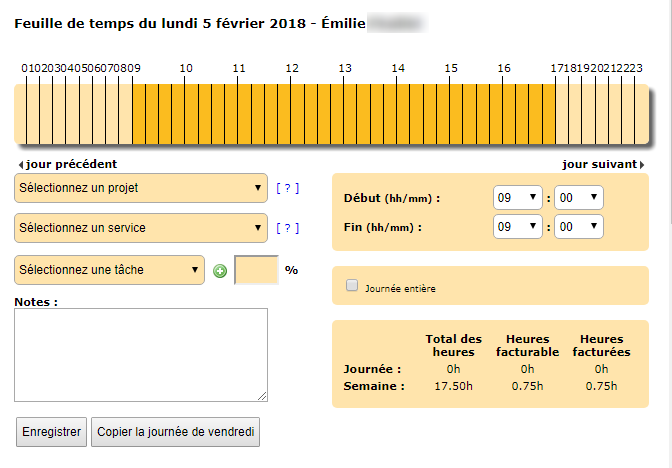
Example of a techno timesheet (“click-and-drag” design)
3. The weekly newspaper
With this timesheet, enter your hours per week rather than per day. It is perfect for generalists who want to register tasks with large blocks of time. It is also ideal when working on a project where the steps do not need to be detailed.
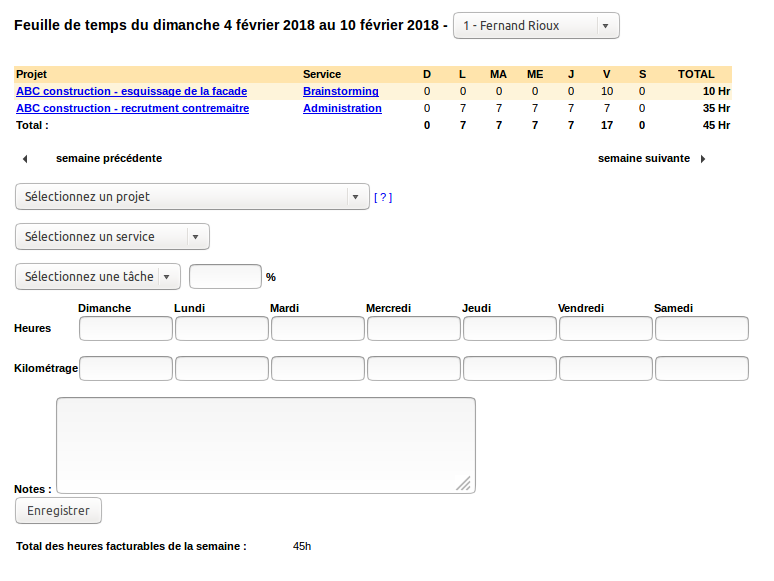
4. The express timesheet, the most accessible from phones
Although timesheets all complement each other on desktop or mobile, the express timesheet is best suited for the interface of phones. And as the name suggests, it complements itself very, very quickly. Fill it in just 3 clicks!
Note: At any time you can switch from the express timesheet to the detailed timesheet (standard or techno) by clicking on the blue link Detailed timesheet .

Example of an express time sheet
See how to complete your express timesheet
The same day is already selected for you by default. To start your time recording, go to the first step with the button Following.

Express timesheet: home page
1) Select the project you worked on.
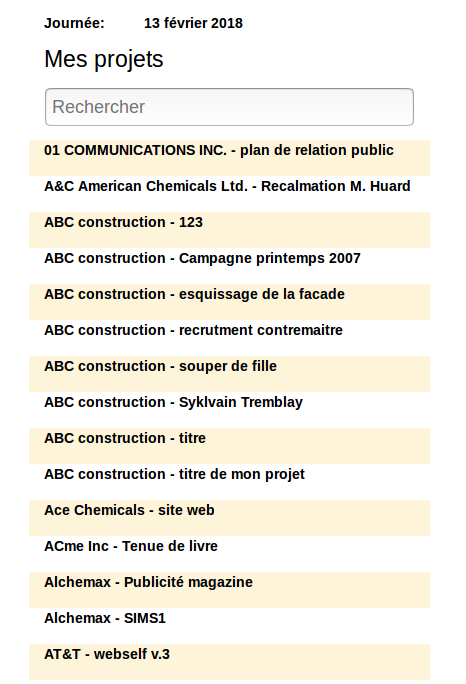
Express timesheet: project selection
2) Choose your service.
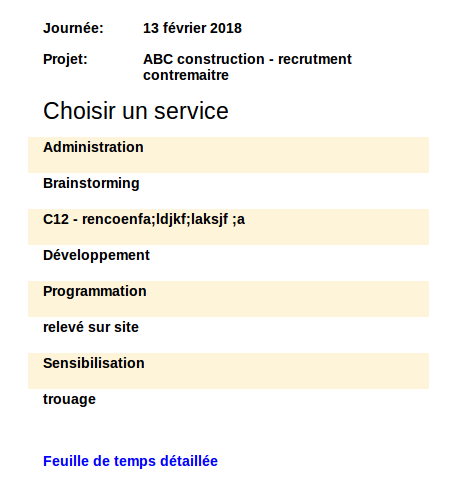
Express timesheet: choice of a service
3) Enter the number of hours worked. Don’t forget to save!
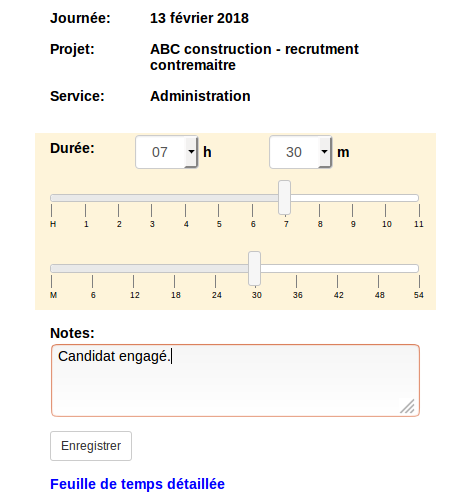
Express timesheet: registration of hours worked
You can then repeat these steps to list other projects you worked on during the day.
Note: The entries in the express timesheet will be concurrent in the standard or techno timesheets, that is, they will all start at midnight. This data conversion is perfect if you don’t need to know when or how long your employees have been working on a particular project.
Have you made your choice? Contact us to change your timesheet, we will be happy to tell you how to proceed!


