With Collabox, you can create customized forms so that only the sections you need appear. Your employees will no longer wonder what information they need to enter and your pages will be faster to consult and without superfluous information.
How to create custom forms
First, go to the Preferences tab in the left-hand menu and select Organization. Remember that only administrators have access to this setting, although it is applied to all employees.
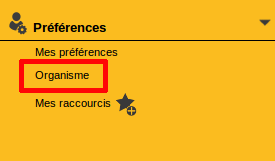
Left menu, tab Preferences
Then go to the Custom Forms tab at the end of the list.
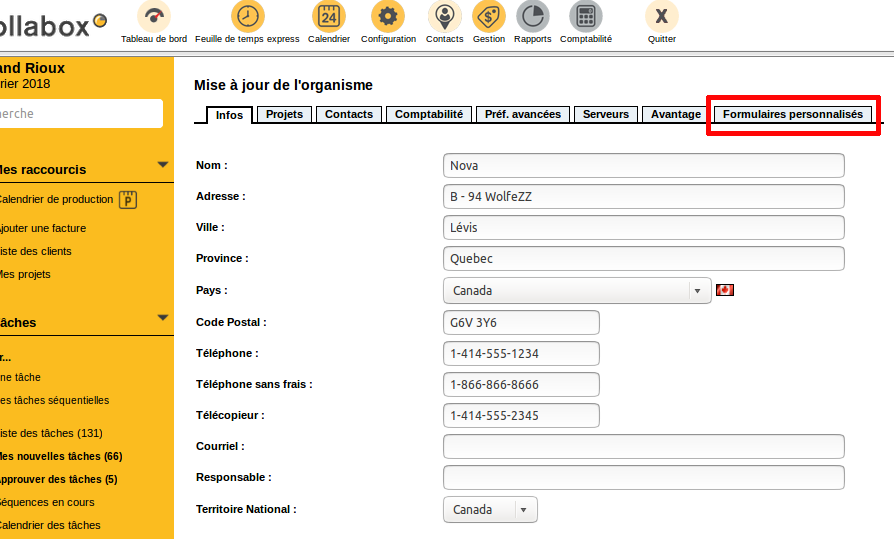
Page update of the organization, tab Info
Then choose a form to customize with the drop-down menu. Modify one of the many forms available to you. The most recent are the Candidate and Employee forms.
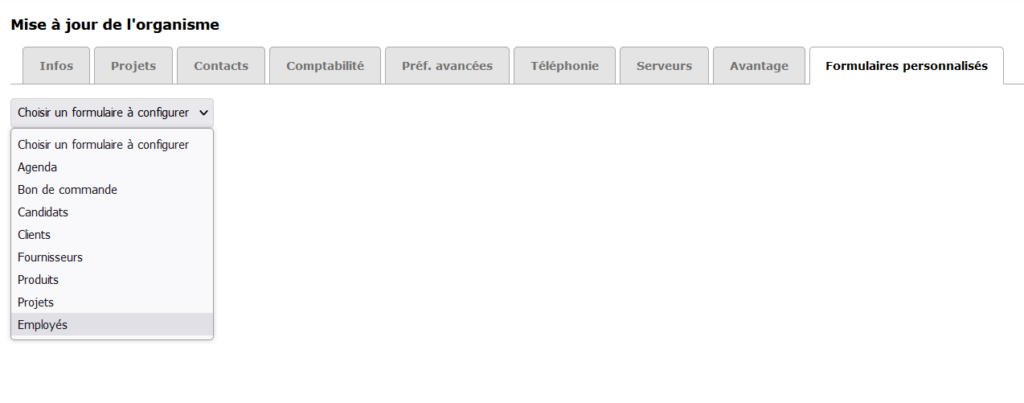
Example of the supplier form
First, the boxes on the right side of the form are used to determine which sections will be visible on your custom form .
Check the box to make the corresponding section appear in your form or uncheck it to make it disappear.
In the red boxed sections in the example, the very first box allows you to remove the entire section.
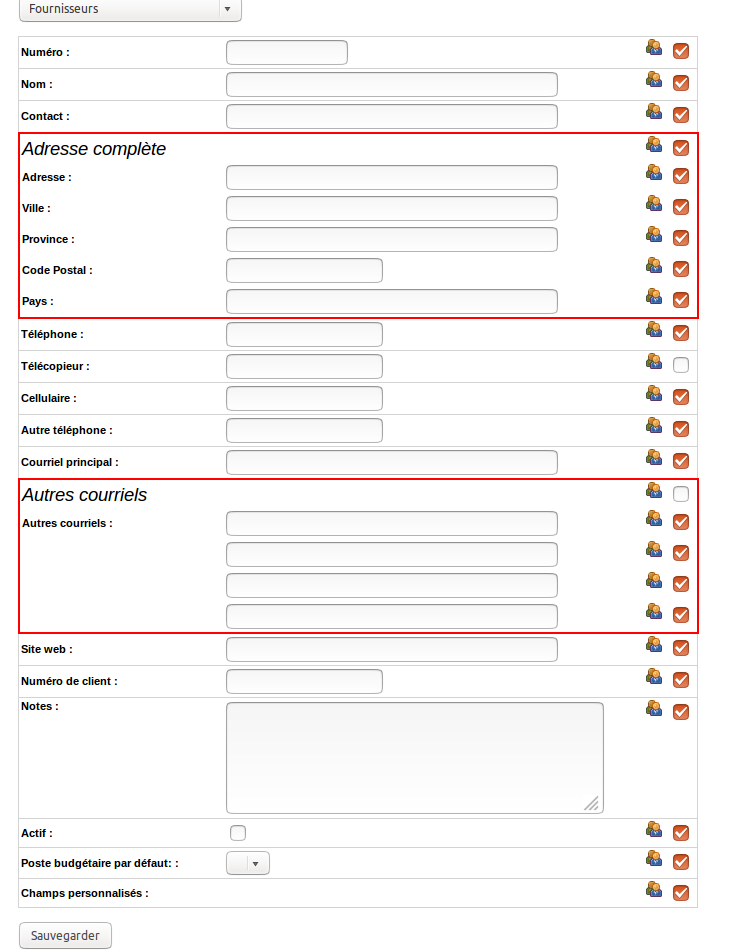
Supplier Form
Page Organization update , tab Custom Forms
A pictogram representing people is present on the left of each box. Click on it to see the names of your employees. Choose the employees for whom you want to customize the form by checking or unchecking their names. By default, all boxes are checked.
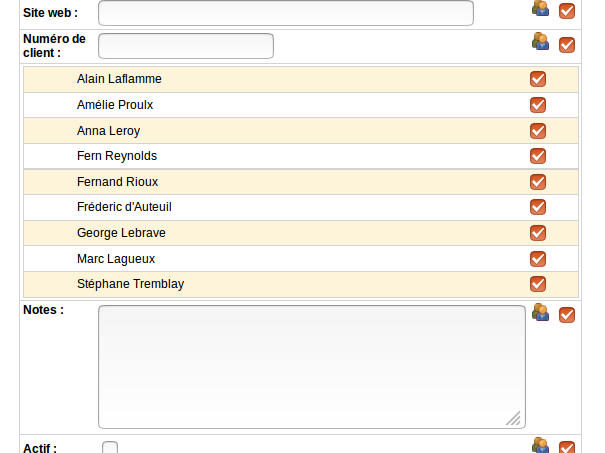
Checkboxes for each employee
Personalized supplier form
Finally, when your customization is complete, don’t forget to click on the Save button at the bottom of the page. Your form will now be adapted to your needs!
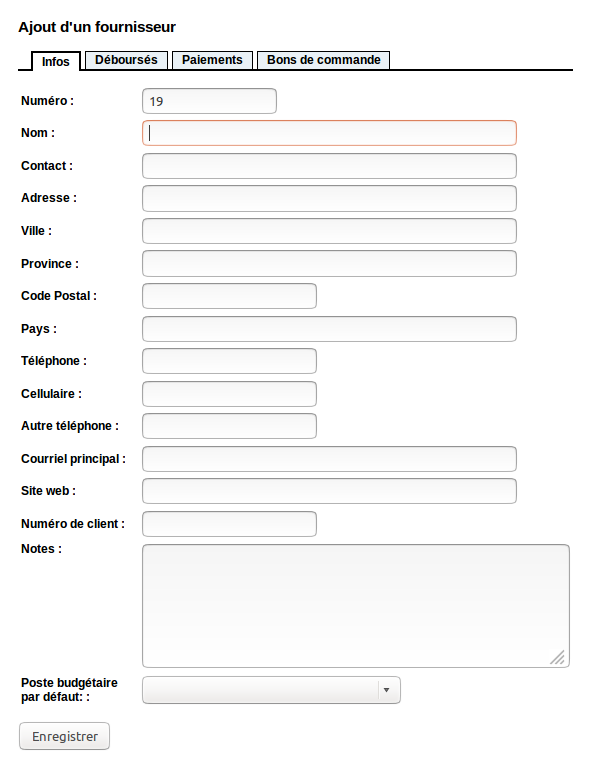
Example of custom form
Page Adding a supplier
Proceed in the same way to create the other custom forms. It’s very simple! If you want to add fields inside the forms, see the text on custom fields .
Watch several video tutorials on our Youtube channel and visit our Tips and Tricks section in the Blog to continue your Collabox configuration!
If you have any questions, please contact us and we will be happy to answer you.
info@collabox.com (418) 907-9274


