Collabox has all the features to create your service offers and turn them into active projects.
Service offers in brief
The Collabox Service Offering module offers several advantages:
- Automaticarchiving of your service offers in the project files.
- Standardization of the presentation for all service offers, regardless of which employee prepares it.
- Quick consultation and modification on all your devices.
- Easy revision by the collaborators (the last version is kept on the server).
- Customized PDF printing for quick delivery.
- Production start-up and automatic assignments.
- Creation of a Work order for internal production and allocation of hours to employees.
Create a service offer
Create your service offers from the “Management” tab in the main menu.

Then add a service offering to create a new one.

Several tabs will appear to customize the offer.

Infos
The “Info” tab is the general description of your service offering. Several elements must be filled out, including the name of the offer, the contact person, the context of the intervention and the mandate. It is important to link your offer to a project, which means creating one if you have not already done so. The offer and the project will automatically be in “submission” type.
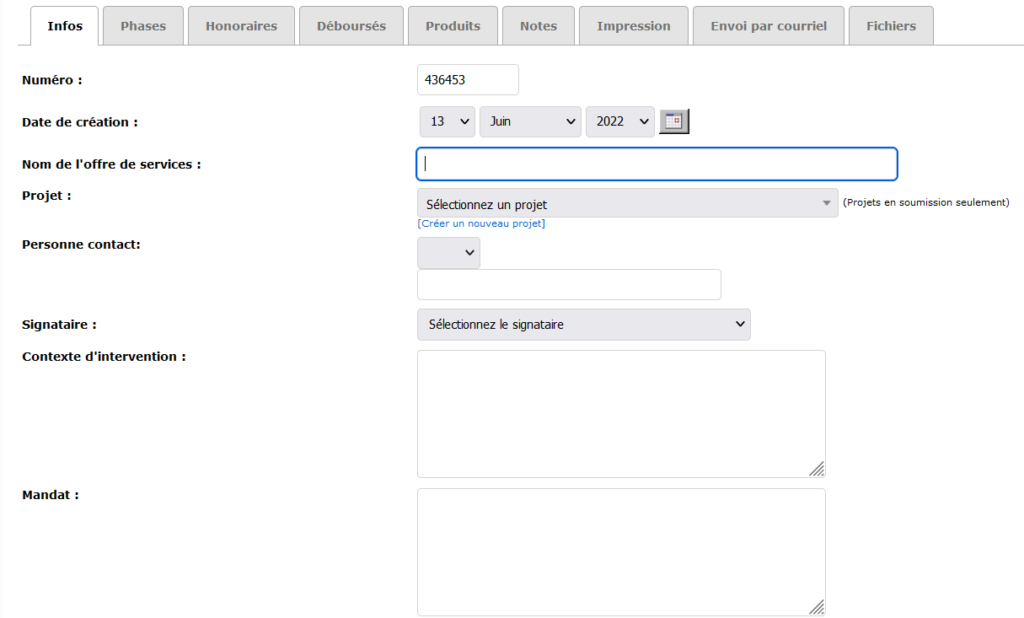
Then fill in the remaining fields, such as delivery date, reference number or probability of closing (can be linked to the CRM module with “opportunity status”.
Phases
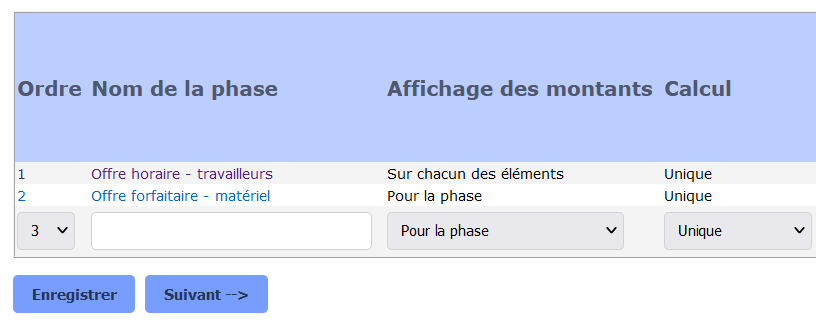
The second tab, “Phases”, corresponds to all the elements that must appear on your service offer. Prioritize your items and decide how the amount will be presented to your client.
Fees
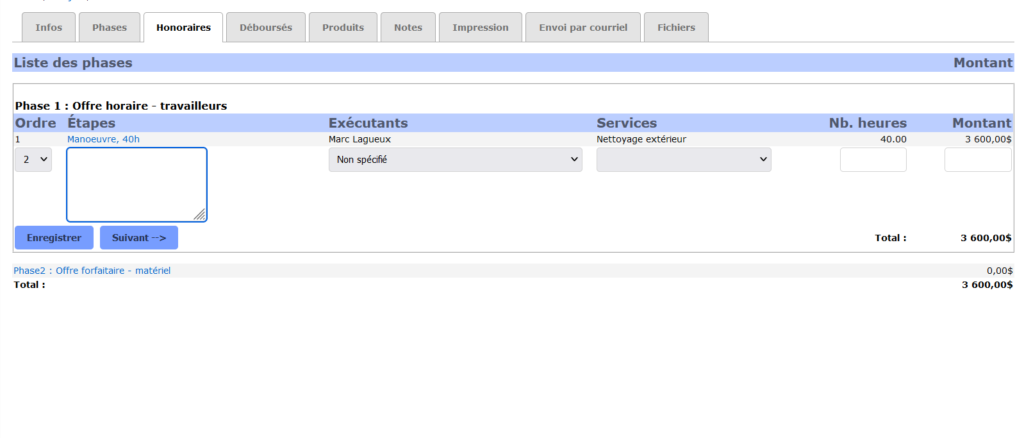
The “Fees” tab is used to describe your phases. Identify the steps, assign an employee and a department, and indicate the number of hours expected to complete the phase.
Disbursements, revenues and notes
If necessary, also fill in the Disbursements, Products and Notes tabs. Manage project expenses more easily or forecast your products from your inventory. Notes are used to record a feature, a clause or the terms and conditions of your service offer.
Printing and sending to the customer
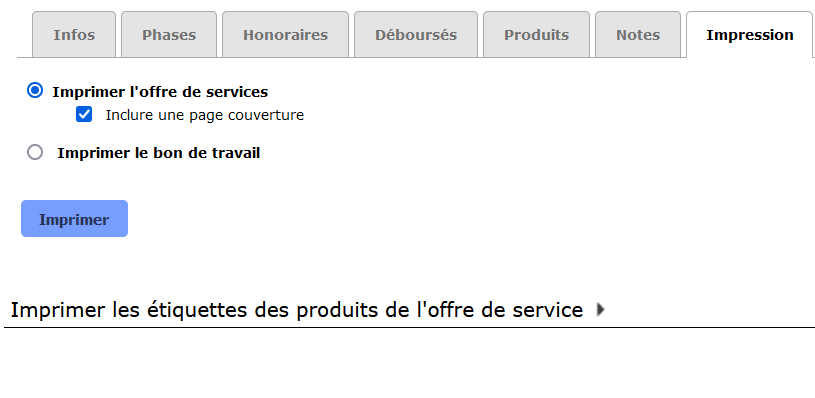
View your service offering under the “Print” tab. Select the desired option and click on the “Print” button. A PDF document will open with all the information of your service offer. If you work with products and need to print labels, the option is also there for you!
Finally, send your service offers directly from the Collabox. First select the “Email” tab, then fill in the appropriate fields. Compose your message, then select the desired attachment and signature options.
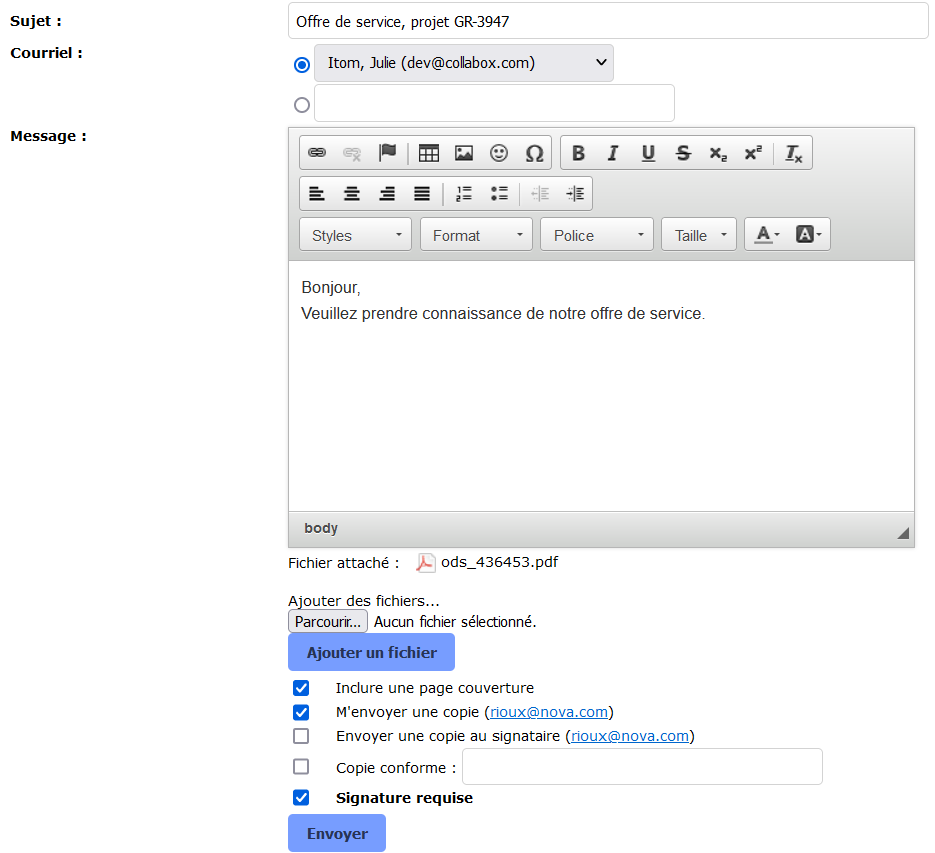
Collabox saves and classifies emails sent to clients when you use its internal messaging system. This makes it much easier to manage your customer follow-ups!
Please note that you can save your service offers on your computer at any time and send them in the traditional way via your company email without using the Collabox.
If you have any questions, please contact us and we will be happy to answer you.
info@collabox.com (418) 907-9274


