Do you have several employees who work on a project and perform the same task such as graphic design or writing? It is possible to bill transactions by service.
This new feature is in addition to the already existing billing per employee. So that we can understand each other well, an entry in the timesheet for a service is called a transaction. The latter is compiled and added automatically in the invoice.
Create an invoice by transaction
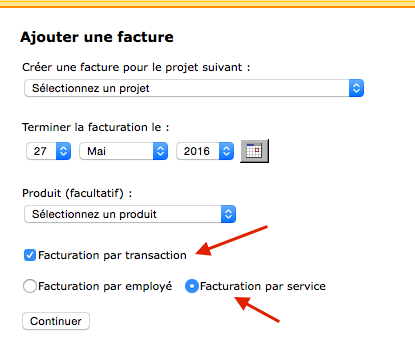
When you create a new invoice, you must first check the option “Billing by transaction” and choose “Billing by service”.
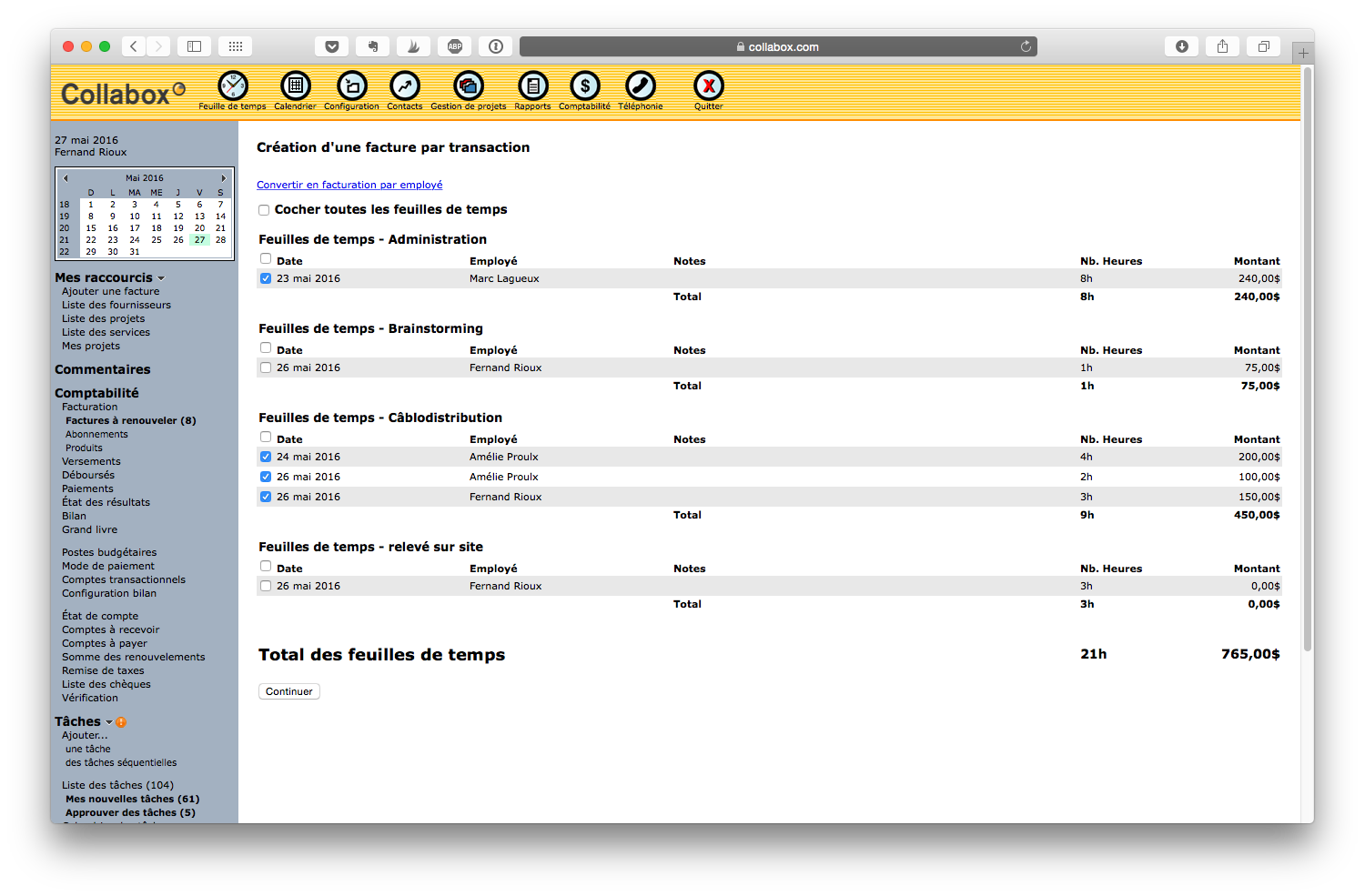
You will then need to select the timesheet entries you want to add to the invoice. They are classified by department so it’s easy to navigate.
Once the choice has been made and you have clicked on “Continue”, Collabox is responsible for adding up the fees and adding them to your invoice. Please note that if you include two different services on the same invoice, they will be separated as is the case in the example below.
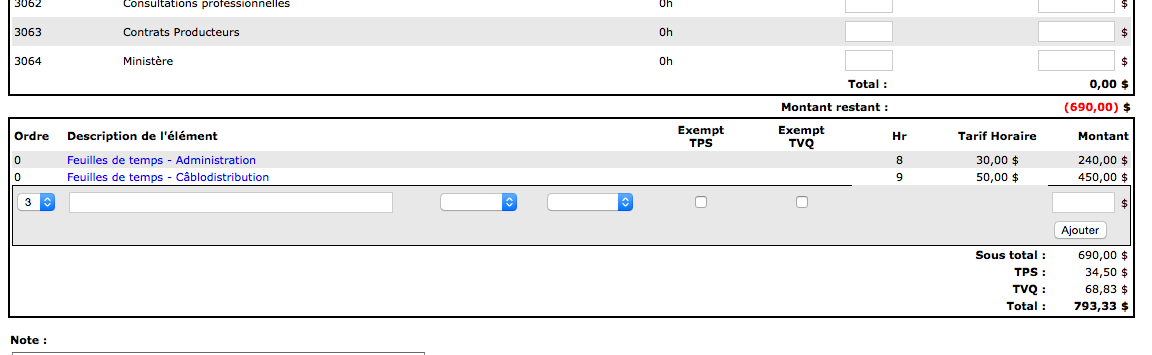
The rest works like a normal invoice. If you want to change your bill, we’ve thought about it and we offer you the instructions below!
You first click on the “Accounting” icon in the top menu bar to access the list of invoices.

After having clicked on the invoice number that you wish to modify, you must click on the “Transactions” tab.
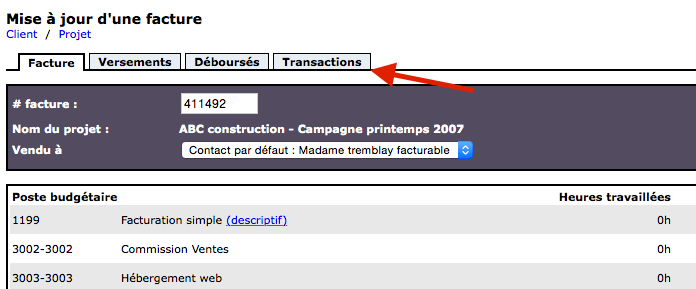
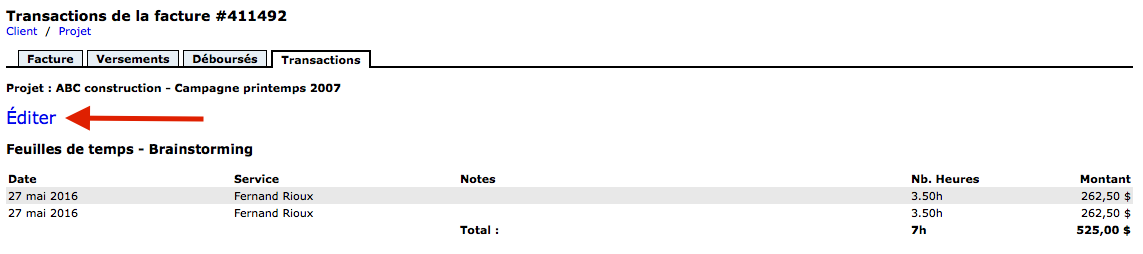
You will then see the time entries already selected for this invoice with their associated amount. If you want to add or modify them, just click on “Edit”.
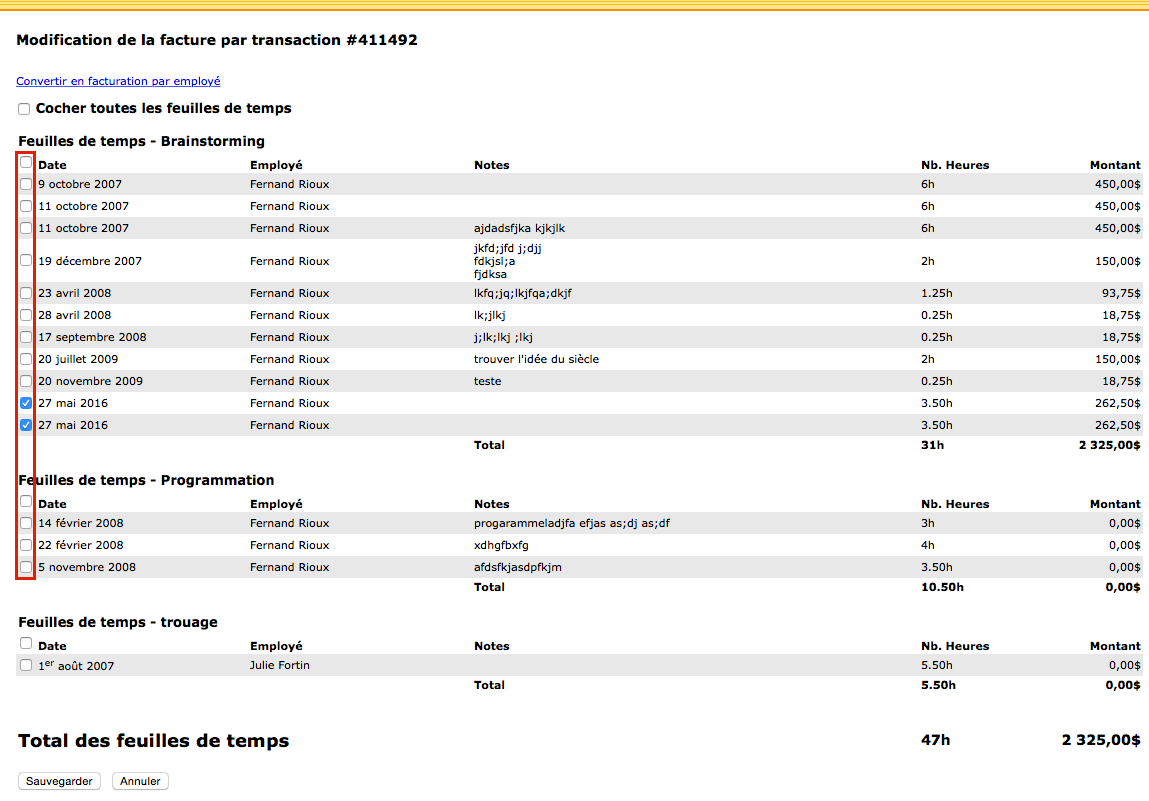
The displayed page then shows you all the entries of the project timesheet, separated by department. You can select or deselect the entries to modify your invoice. Do not forget to save so that the changes are taken into account.
Watch several videos on our Youtube channel and visit our Tips and Tricks section in the Documentary Blog to continue using the Collabox!
If you have any questions, please contact us and we will be happy to answer you.
info@collabox.com (418) 907-9274 ext. 120


