Tax remittance is quick and easy with Collabox
We’ve integrated Collabox with the perfect tool for tracking your tax rebates. What’s more, we present the most important information in tabular form with the right codes when you file your tax returns.
To access this report, you must first access the “Accounting” module by clicking on its icon located in the top menu bar.

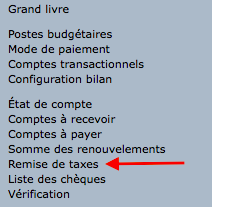
Then the report is accessed by clicking on “Tax remission” in the left sidebar.
The next step is to choose the time period you want to display. So you can see your discounts annually, quarterly or monthly.

Summary of tax calculation information
The top table gives you a summary of all the tax information you need. So Collabox automatically calculates the amount of taxes you’ve collected, as well as those you can deduct from your disbursements.
Below the table, you will find the details of all your invoices as well as your disbursements with their respective taxes.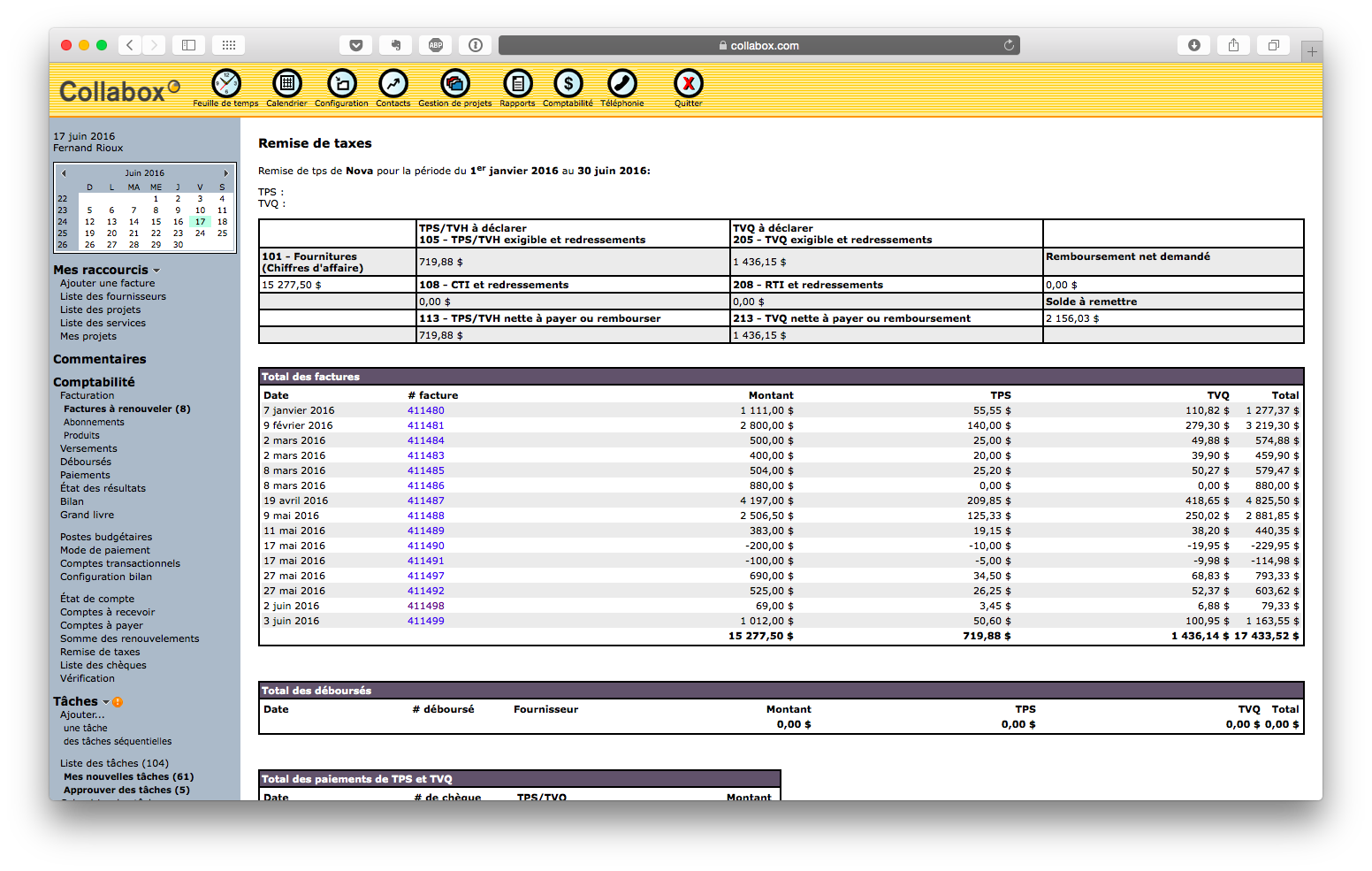
We use the information provided by Revenu Québec. Inputs: We mean by inputs all goods or services used or consumed in your business activities. The numbers that you can see with the titles correspond to the government numbers. These numbers are those of the boxes of the tax return.Explanations of the names in the summary table
A few explanations on tax rebate terminology
ITC: Input tax credit
RTI: Refund of input tax
At the bottom of the page, Collabox shows you the amounts you have to pay and what you have already paid. Are you due to make a payment? Just click on the “Create a GST and QST payment” button.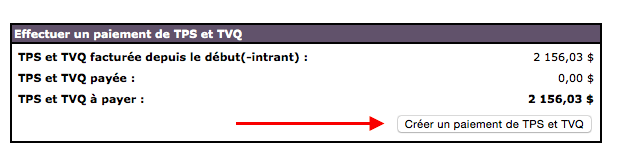 Collabox will take you directly to the right place to enter your payment. The correct amounts are already entered, so there is no chance of going wrong.
If you’re paying by cheque, you can enter the cheque number and Collabox will register the payment and redirect you to your cheque printer. 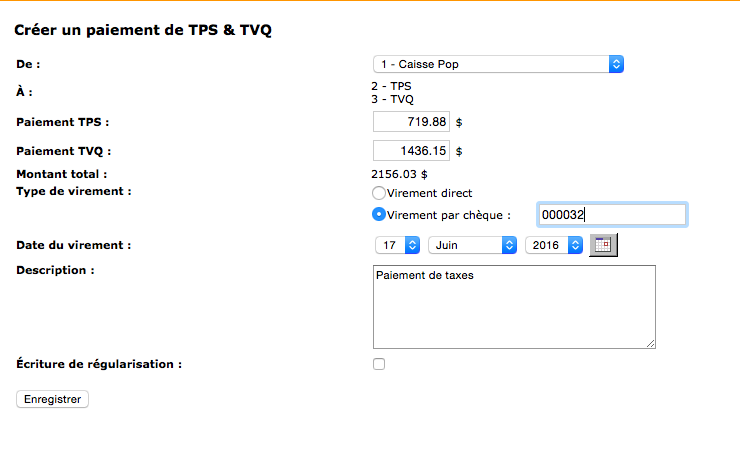 Once the payment has been made, the summary in the “Tax remittance” page is adjusted automatically. It’s almost magical.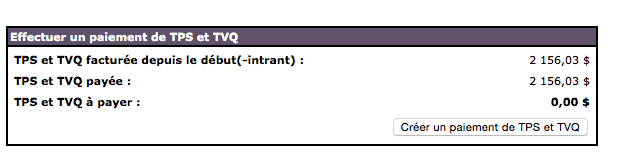
If you need more information, please contact us.
info@collabox.com
418 907-9274


